YOUR DTVPAL DIGITAL-TO-ANALOG TV CONVERTER
REMOTE CONTROL BUTTONS
REMOTE CONTROL BUTTONS
POWER
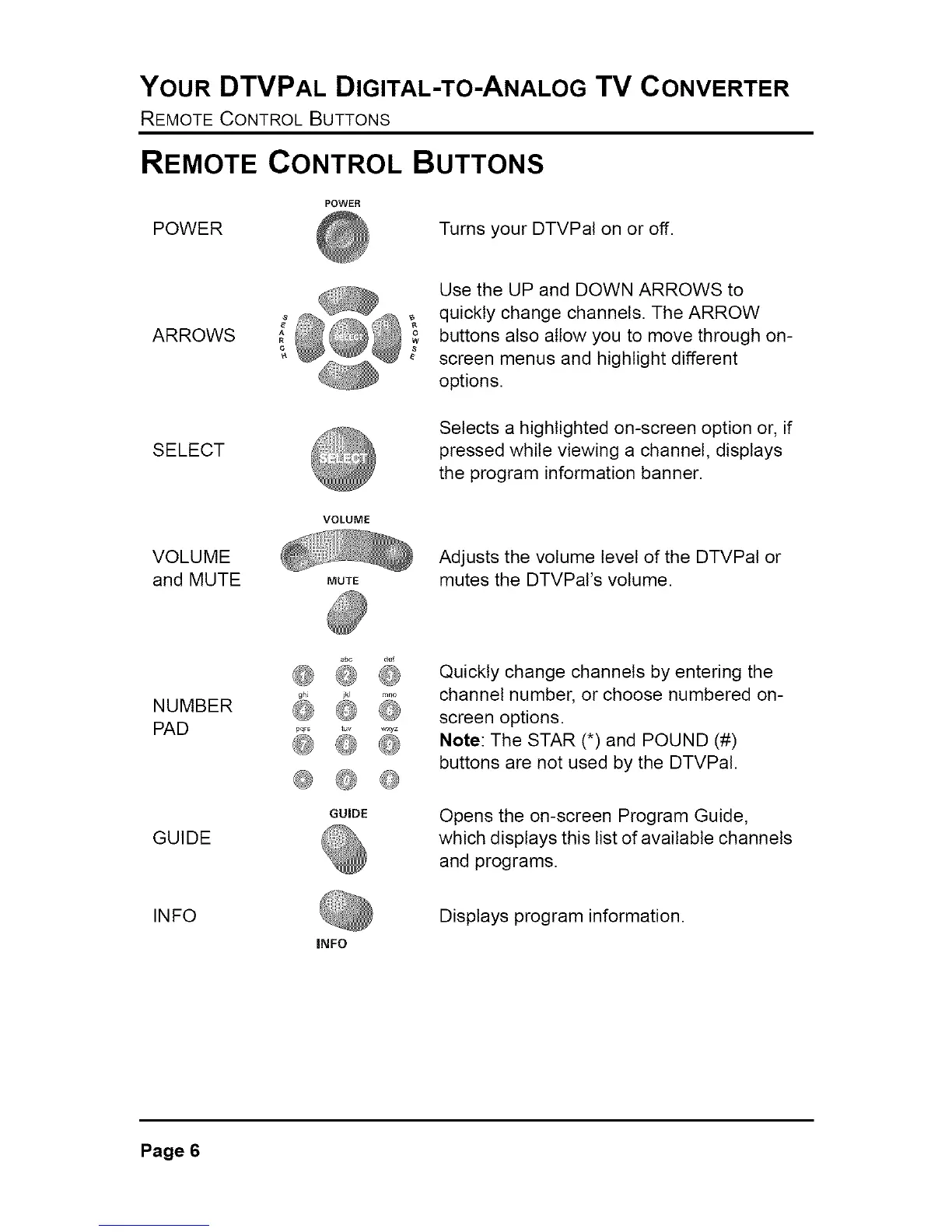
POWER Turns your DTVPal on or off.
ARROWS
SELECT
VOLUME
and MUTE
VOLUME
MUTE
Use the UP and DOWN ARROWS to
quickly change channels. The ARROW
buttons also allow you to move through on-
screen menus and highlight different
options.
Selects a highlighted on-screen option or, if
pressed while viewing a channel, displays
the program information banner.
Adjusts the volume level of the DTVPal or
mutes the DTVPaI's volume.
NUMBER
PAD
gh_
@ @
t_v w×yz
@ @
Quickly change channels by entering the
channel number, or choose numbered on-
screen options.
Note: The STAR (*) and POUND (#)
buttons are not used by the DTVPal.
GUIDE
GUIDE
Opens the on-screen Program Guide,
which displays this list of available channels
and programs.
INFO
INFO
Displays program information.
Page 6



 To Next Page