The locks you set for TV2 in Dual Mode are not available in
Single Mode. When using the receiver in Single Mode, if the
programming you select is not appropriate for all viewers on
remote TV(s), be sure to disable
Shared View (see page 48 for
instructions).
Page 91
Using Locks
Locking and Unlocking the Receiver
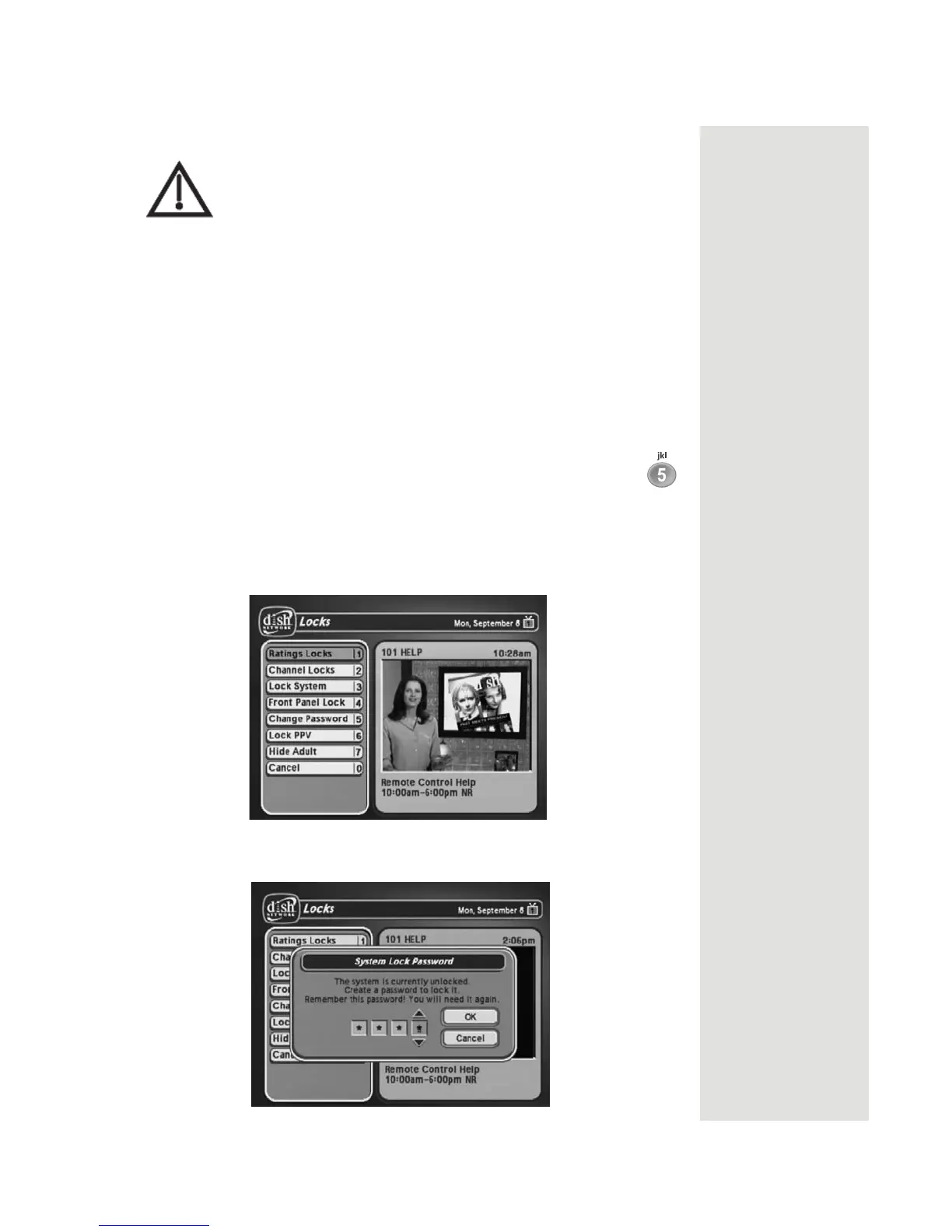
You must lock the receiver for any receiver Locks you set to take effect. To lock
the receiver, you must first create a password. If you forget your password, you
will need to speak with a Customer Service Representative. If you have a
Personal Identification Number (PIN), you will need to give it to the Customer
Service Representative. See page 100 for information on PINs.
1. Press the MENU button to display the
Main Menu.
2. Select the
Locks option to display the Locks menu.
Note: If the receiver displays a message prompting you to enter a
password, the receiver has already been locked.
Note: If you want to unlock the receiver or any specific lock, use the
password for the TV output you’re watching. For example, use TV1’s
password to unlock TV1’s locks and TV2’s password for TV2’s locks.
3. Select the Lock System or Unlock System option. The receiver displays a
message prompting you to enter a password to lock the system.













 To Next Page