Chapter 3
Page 92
Using the System
4. Enter and verify a password, using the NUMBER PAD buttons. The
receiver displays stars (*) as you enter the digits of the password. When you
enter the fourth digit of the password, the receiver highlights the
OK option.
5. Memorize your password. From now on, you must enter this password to
lock or unlock the receiver.
6. Select the
OK option. Confirm the password by re-entering it. All the locks
you have set are now in effect.
Creating or Changing Rating (Content) Code Locks
1. Press the MENU button.
2. Select the
Locks option.
3. If the receiver is locked, enter the password using the number pad buttons.
The receiver displays stars (*) as you enter the digits of the password. When
you enter the fourth digit of the password, the receiver highlights the OK
option. Press the SELECT button.
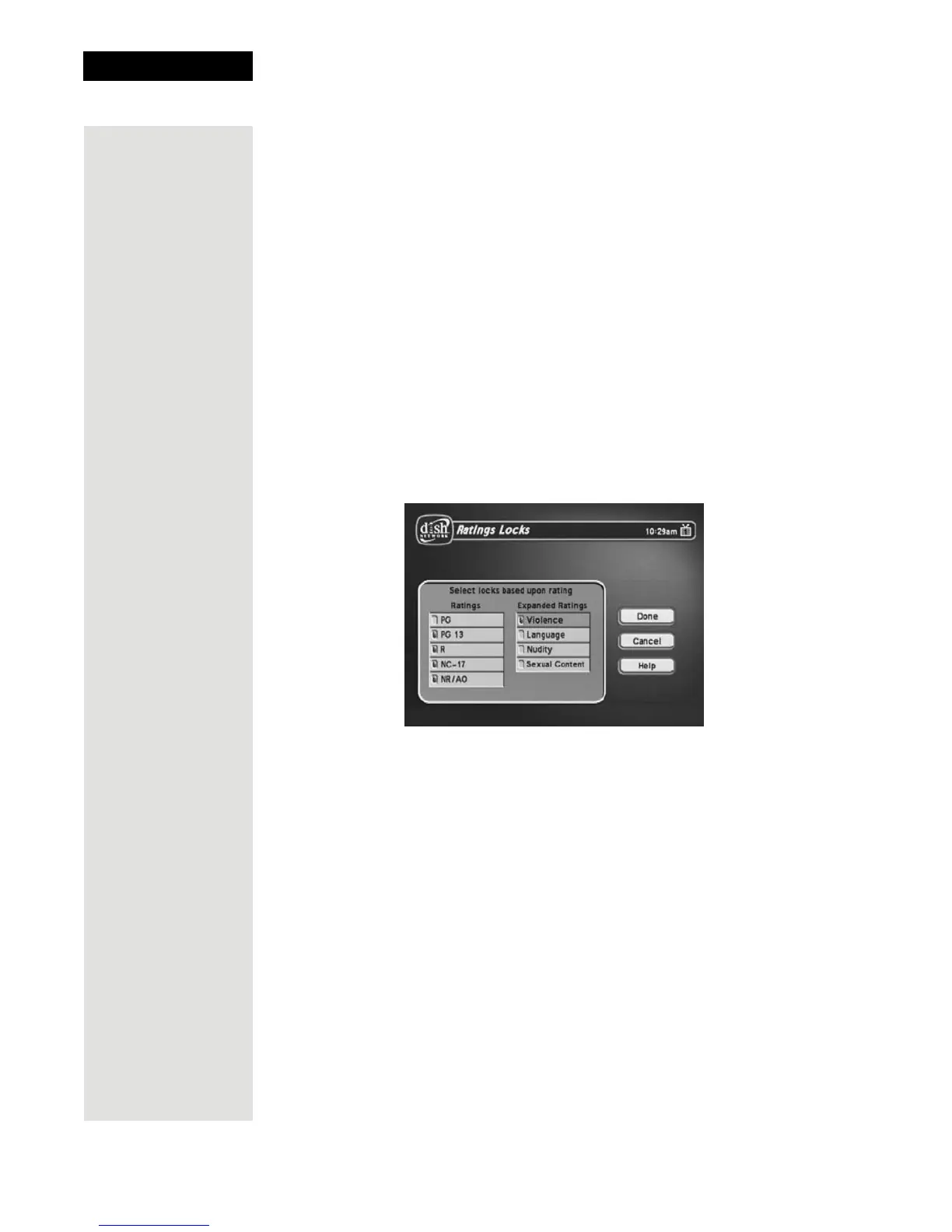
4. Select the
Ratings Locks option.
5. Highlight the lowest rating that you want to block. Press the SELECT
button to lock the highlighted rating.
Note: All ratings that are more restrictive than the selected rating are also
selected. For example, if you lock PG-13 rated programs, then all programs
with the R, NC-17, and NR/AO ratings are also locked.
MPAA Ratings
G—General Audiences. A G-rated motion picture contains nothing in
theme, language, nudity, sex, violence or other matters that, in the view of
the Rating Board, would offend parents whose younger children view the
motion picture. The G rating is not a “certificate of approval,” nor does it
signify a “children’s” motion picture. Some snippets of language may go
beyond polite conversation but they are common everyday expressions. No
stronger words are present in G-rated motion pictures. Depictions of
violence are minimal. No nudity, sex scenes, or drug use are present in the
motion picture.













 To Next Page