6 / 22
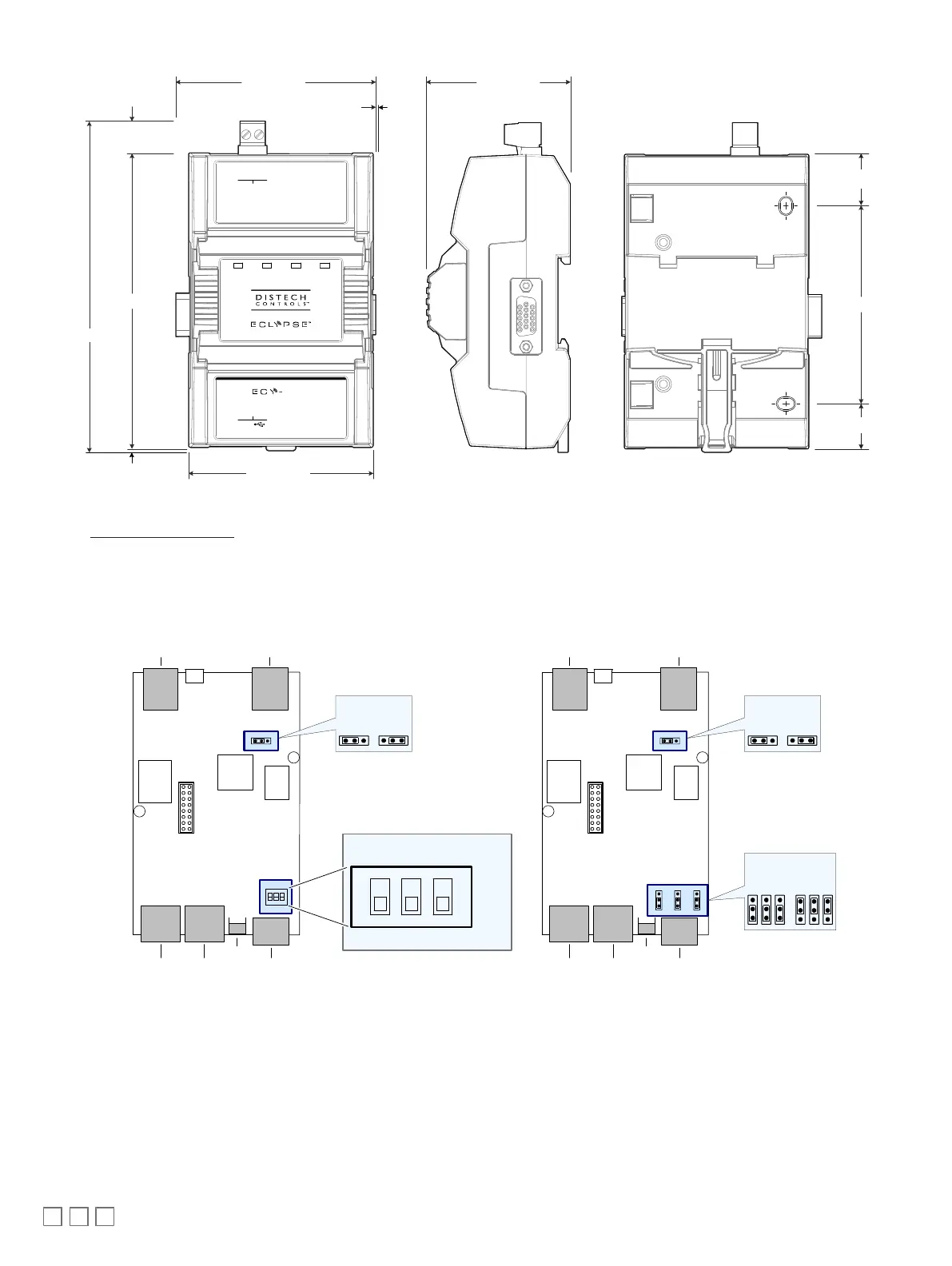
2.95 [74.99]
4.74 [120.31]
3.20 [81.17]
2.31 [58.56]
3.18 [80.82]
0.73 [18.54]
0.83 [21.08]
Inter-Connection Gap: 0.01 [0.40]
Front BackProfile
0.06 [1.44]
5.30 [134.65]
Inches [Millimeters]
0.51 [12.90]
L2-L2- L1+
M-Bus
MBUS
HOST
1x
POWER STATUSTXRX
Figure9: ECY-MBUS Communication Module
See the ECLYPSE Selection Tool to determine the width of a specific assembly and the assembly order.
Status LED, DIP Switch, and Jumper Identification and Configuration
ECY-S1000
The Control, Automation and Connectivity Server has the following onsite configurable jumpers or DIP switches located inside the cover. Orient the cir-
cuit board as shown in the figure below.
* Factory-default positions
SUBNET EOL
Termination
HOST SUBNET
SEC RS-485PRI
RESET
EOL Off
(Disabled)*
EOL On
(Enabled)
RS-485 EOL
Termination
EOL Off
(Disabled)*
EOL On
(Enabled)
* Factory-default positions
SUBNET EOL
Termination
HOST SUBNET
SEC RS-485PRI
RESET
EOL Off
(Disabled)*
EOL On
(Enabled)
1 2 3
ON
OFF*
EOLBIAS + BIAS -
RS-485 EOL Termination
Option Configuration
Figure10: ECY-S1000 Jumper, DIP Switch, and Reset Button Locations











 To Next Page