11
4. USE AND OPERATION INSTRUCTION OF WIRE
CONTROLLER
4.3 Startup and shutdown
Notes :
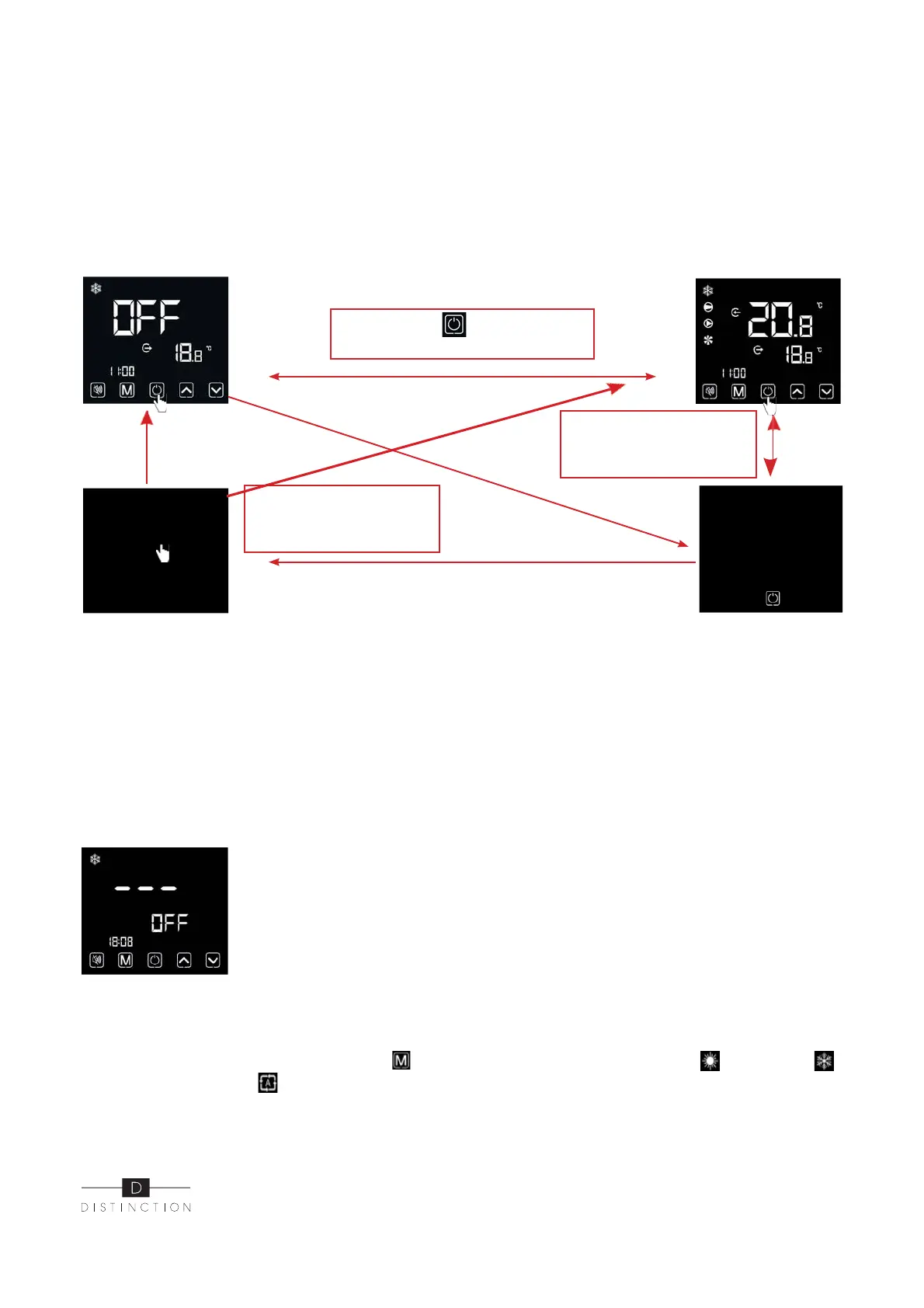
Startup and shutdown operation can only be conducted in the main interface.When it displays
with half screen off or full screen off, click any key for returning to ON/OFF main interface.
When the unit is started under the control of wire controller, if using the emergency switch to shut
down, the wire controller will display as follows: operations are the same as under ON/OFF main
interface.
4.4 Mode switch
Press « » for 0.5s
to enter ON/OFF interlace
When there is no operation
with 1 minute, it will display
with half screen off
When there is no operation
with 15 minutes, it will
display full screen off
Under the main interface, Short press" "to switch the unit among heating " ", cooling " "
and automatic mode " ".


 To Next Page