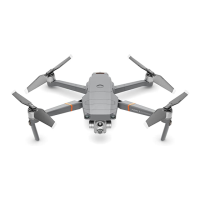
DJI Mavic 3 Pro User Manual
110
©
2023 DJI All Rights Reserved.
• The maximum ight speed of RTH is 16 m/s, and the maximum ight speed of Waypoint
Flight is 15 m/s.
Direct Remote ID
1. Transport Method: Wi-Fi Beacon
2. Method of uploading the UAS Operator Registration Number to the aircraft: Enter DJI Fly >
Safety > UAS Remote Identication, and then upload UAS Operator Registration Number.
List of Items, including qualied accessories
1. DJI Mavic 3 Low-Noise Propellers (Model: 9453F, 8.5g)
2. DJI Mavic 3 Pro ND Filters Set (ND 8/16/32/64) (5.1 g)
3. DJI Mavic 3 Intelligent Flight Battery (Model: BWX260-5000-15.4, 335.5 g)
List of Spare and Replacement Parts
1. DJI Mavic 3 Low-Noise Propellers (Model: 9453F)
2. DJI Mavic 3 Intelligent Flight Battery (Model: BWX260-5000-15.4)
Remote Controller Warnings
The remote controller indicator will glow red after disconnecting from the aircraft for more than
two seconds.
DJI Fly will prompt a warning after disconnecting from the aircraft for more than 4.5 seconds.
The remote controller will beep and power off automatically after disconnecting from the
aircraft or without operation for a long time.
• Avoid interference between the remote controller and other wireless equipment.
Make sure to turn o the Wi-Fi on nearby mobile devices. Land the aircraft as soon as
possible if there is interference.
• DO NOT operate the aircraft if lighting conditions are too bright or dark when using a
mobile phone to monitor the ight. Users are responsible for correctly adjusting the
display brightness when using the monitor in direct sunlight during ight operation.
• Release the control sticks or press the ight pause button if an unexpected operation
occurs.
GEO Awareness
GEO Awareness contains the features listed below.
UGZ (Unmanned Geographical Zone) Data update: user can update the y safe data through
GPS by using the data update feature and store the data in the aircraft.
GEO Awareness Map Drawing: after the latest UGZ data is updated, a flight map with a
restricted zone will be displayed in the DJI Fly app. Name, eective time, height limit, etc., can be
viewed by tapping the area.
GEO Awareness Pre-Warning: the app will prompt the user with warning information when the


 To Next Page