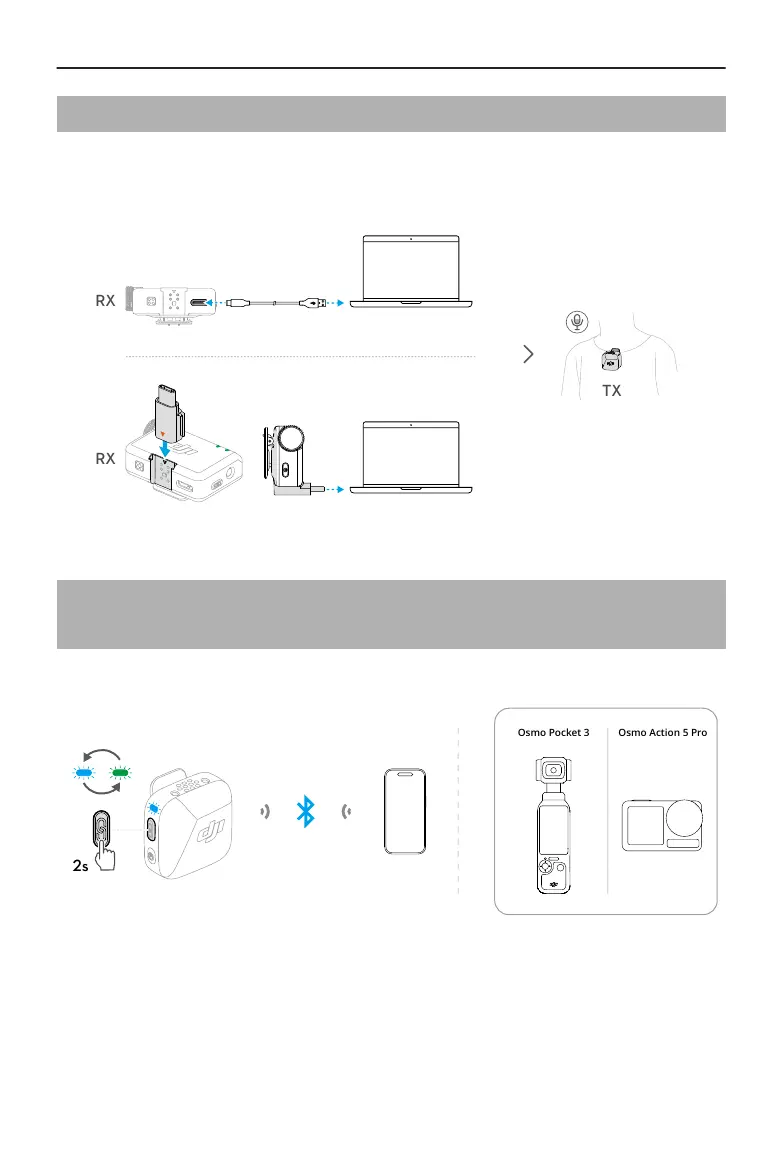
2.7 Using with a Computer
Connect the receiver to the computer using the provided charging cable or adapter, and
set the audio input options on the computer. The transmitter can then be used as an
external microphone.
2.8 Transmitter Directly Connected to Filming
Devices
The transmitter can connect to phones or DJI lming devices via Bluetooth.
Osmo Action 5 ProOsmo Pocket 3
2s
Connecting to a Phone
1. When the transmitter is powered on, press and hold the linking button on the
transmitter for two seconds until the system status LED blinks blue and green
alternately.
DJI Mic Mini User Manual
14 © 2024 DJI All Rights Reserved.


 To Next Page