2 Using for the First Time
2.1 Attaching the Battery
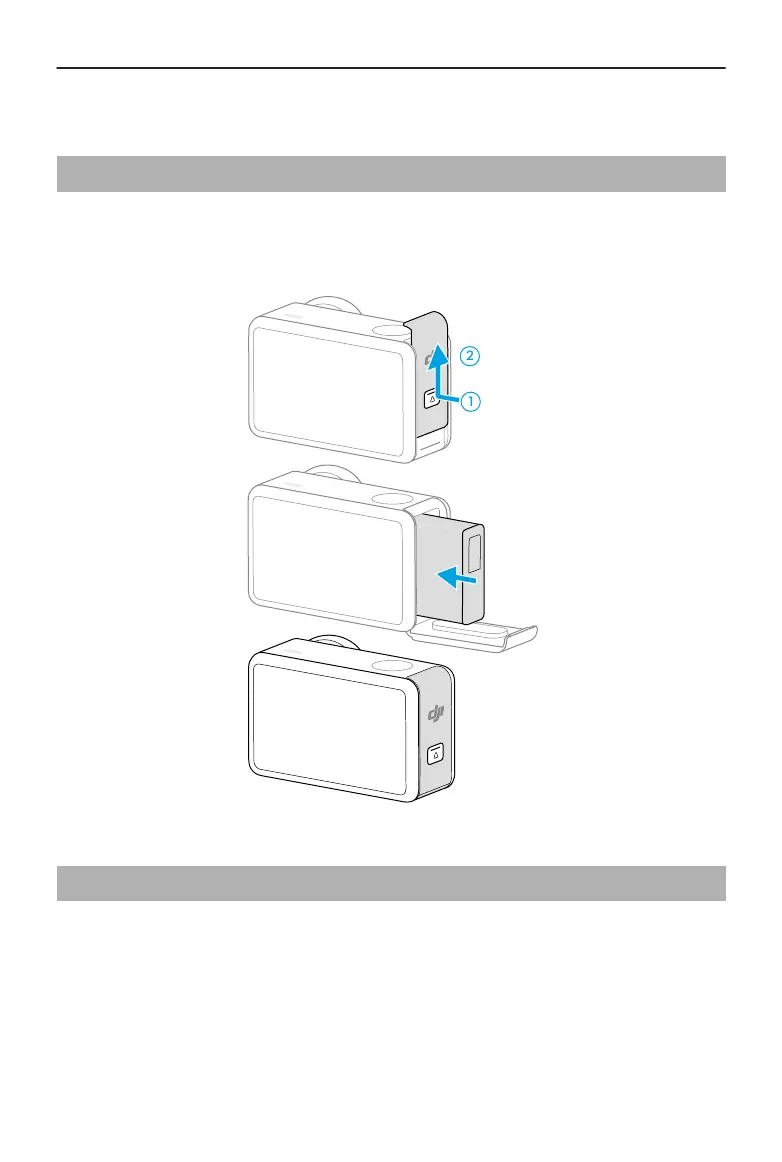
Press the release button on the battery compartment cover and slide upward, then insert
the battery into the battery compartment. Make sure the battery is properly inserted,
then close the battery compartment cover.
2.2 Inserting the microSD Card
The camera allows for extended storage capacity with microSD cards. Refer to the
recommended microSD card list on the DJI website at https://www.dji.com/osmo-action-5-
pro/specs .
Osmo Action 5 Pro User Manual
© 2024 DJI All Rights Reserved. 13



 To Next Page