81
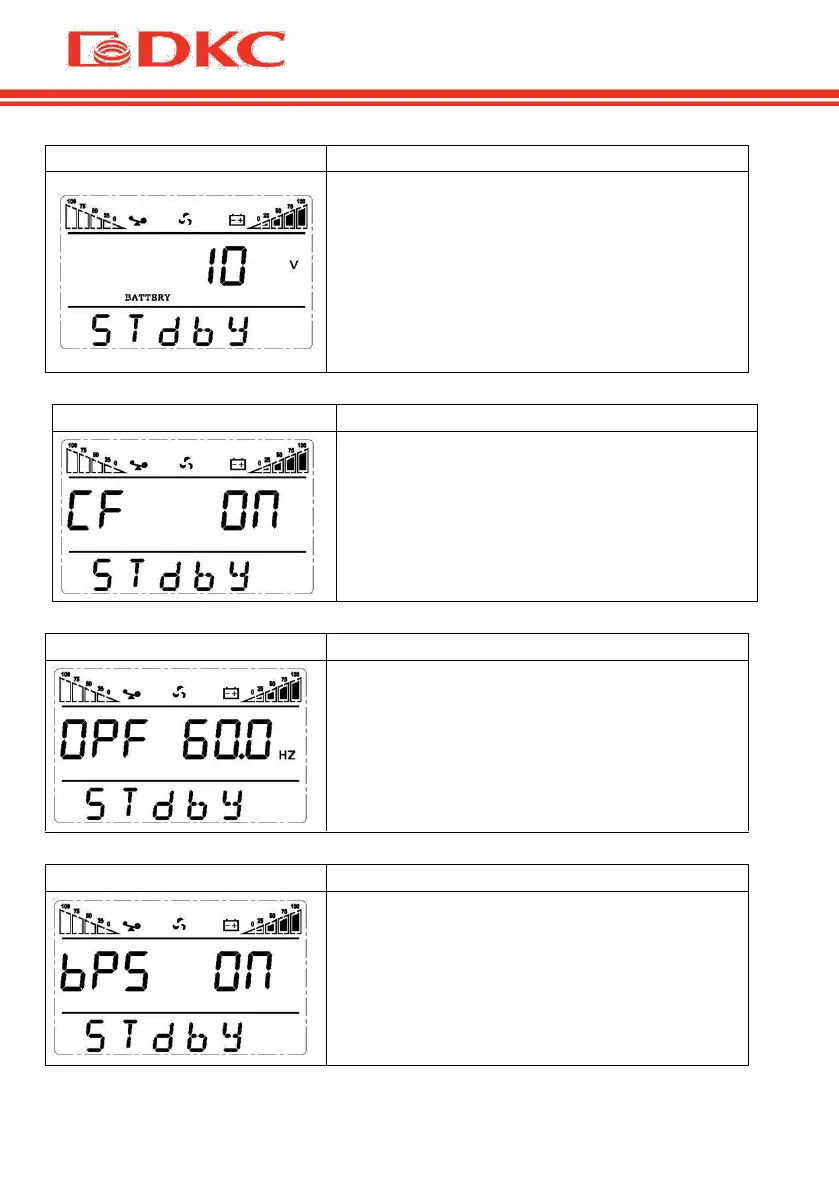
Low voltage of battery setting
The battery voltage selecting interface. The
user may choose the following output
voltage:
9.8 Vdc; 9.9 Vdc; 10 Vdc; 10.2 Vdc; 10.5
Vdc; dEF (default) ; dEF - EOD voltage
automatically varies with loads, including
21.5 hours discharge protection
Frequency Converter enable/disable
CF mode only can be set in STDBY mode.
You may choose the following two options:
ON: converter mode enable
OFF (default): converter mode disable
Output frequency setting
If frequency converter mode is enabled, you
may choose the following output frequency:
50 (default): presents output frequency is
50Hz
60: presents output frequency is 60Hz
Bypass mode setting
Enable or disable Bypass function. You may
choose the following two options:
ON: Bypass enable
OFF (default): Bypass disable


 To Next Page