eBox-3300
3
eBox-3300 Overview
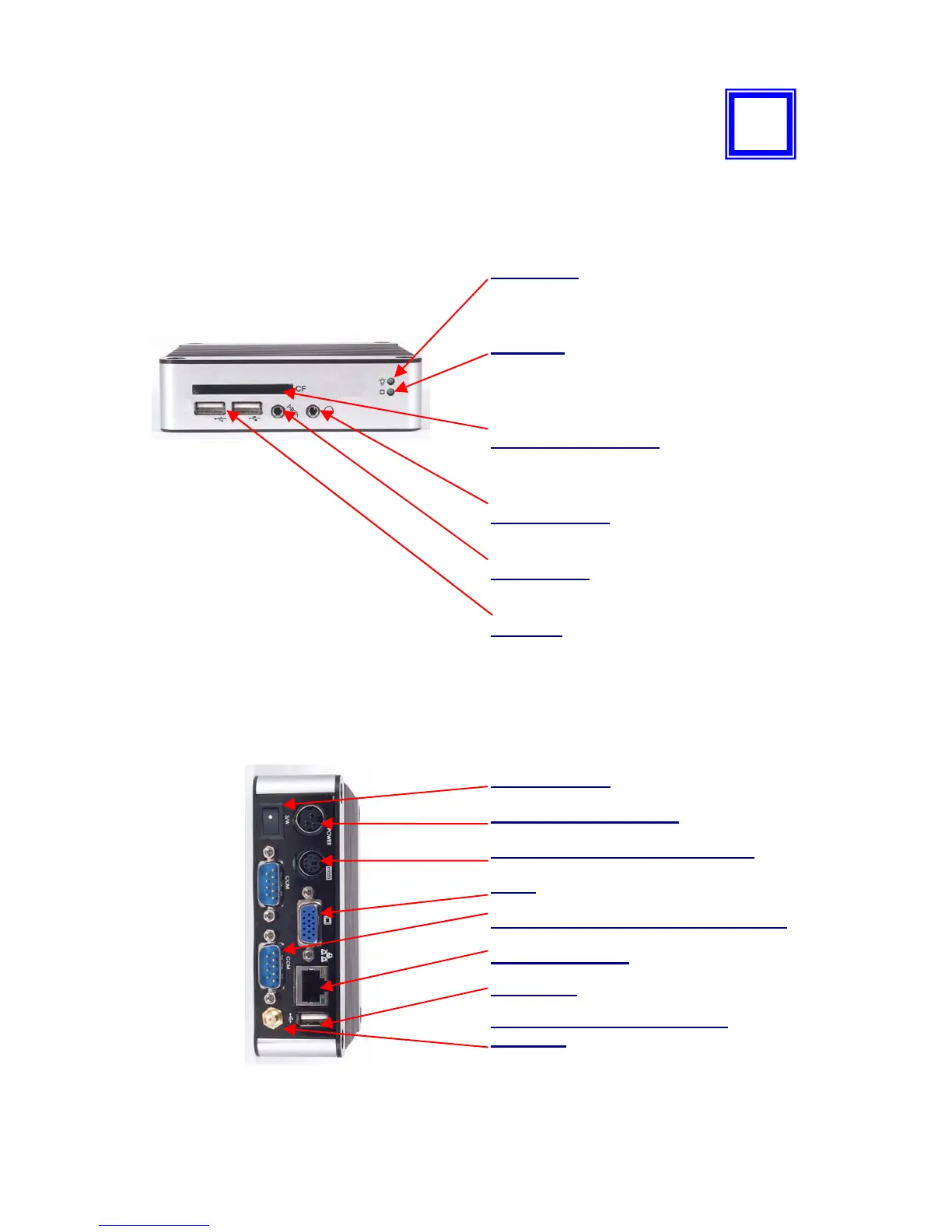
Front Panel
Power LED
The power LED lights up when system is
turn on.
HDD LED
The HDD LED flashes when the system is
working. Never turn off the power when
HDD LED is still flashing.
CF and Micro SD Slot
The system is bootable from Compact
Flash Card and Micro SD (T-flash).
Audio Line Out
Output to speaker
Audio Mic In
For Microphone Input
USB port
For connection to devices with USB
interface (HDD, CD/DVD-ROM, Memory
Stick, etc.)
Back Panel
` Power switch
` DC Power Jack (3-pin)
` PS/2 Keyboard or Mouse (6-pin)
`VGA
`RS-232 (optional for eBox-3300-JSK
` RJ-45 LAN Jack
` USB Port
` Wireless Antenna connector
(optional)
2


 To Next Page