eBox-3300
5
PERIPHERALS
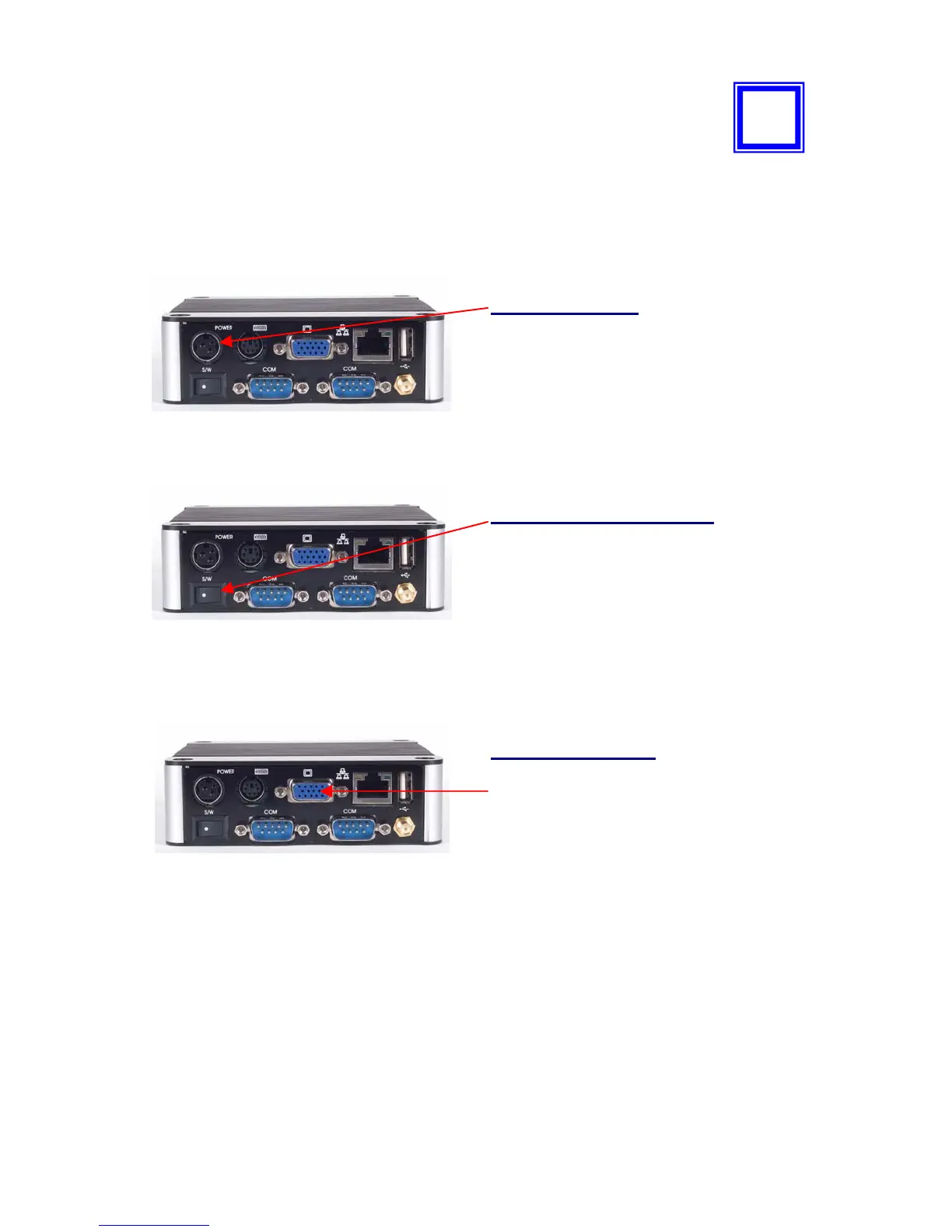
CONNECTING THE POWER ADAPTOR
Power Adaptor
To use eBox-3300 immediately, please
attach the supplied AC adapter as a
power source. See the left diagram for
visual connection.
Connect the DC power jack of the power
adaptor to the DC Input jack of eBox-
3300; this connecor is a KYCON KPPX-3P.
Turning ON eBox-3300
Switch on power as indicated on the
figure on your left-side, the system will
start automatically.
CONNECTING THE MONITOR
VGA Connection
Depending on your choice of viewing,
select a conventional CRT or the LCD
VGA monitor.
Make your connection by following the
reference diagram from the VGA cable of
your cable to the 15-pin D-Sub VGA port
of eBox-3300.
4


 To Next Page