eBox-3300
13
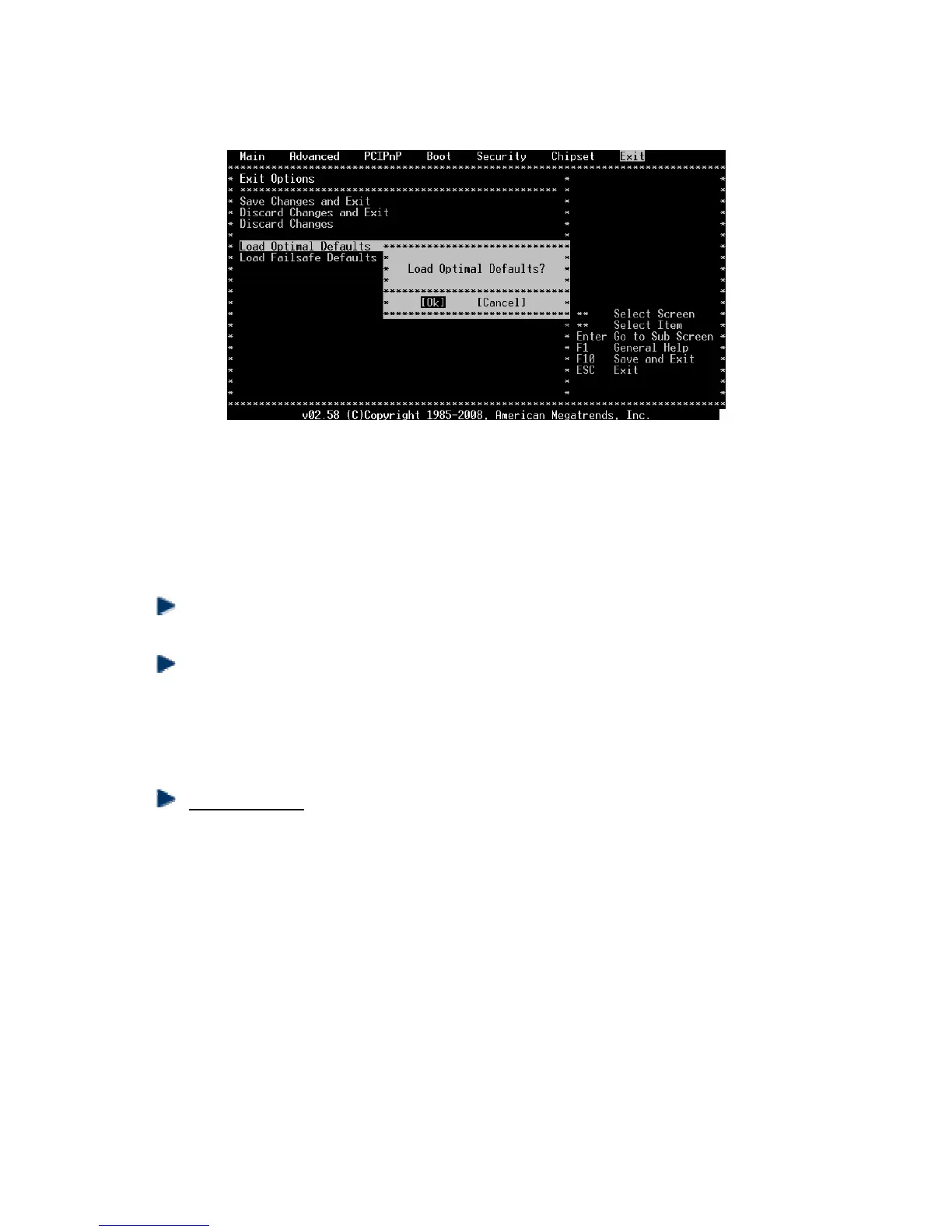
(BIOS Setup menu “Exit”)
C. “Operating System Not Found” –
A message indicating that “Operating system not found” appear when
my VESA PC starts (Windows won’t start)
Enter your BIOS setup main menu by pressing <DEL> key, be sure that your C:
drive is enable.
If Windows still does not start, follow these steps to initialize the BIOS:
1. Turn off the eBox-3300.
2. Remove any peripheral devices connected to the eBox-3300.
3. Restart the eBox-3300..
4. Press <DEL> to enter BIOS Setup main menu window.
5. Follow the steps as written in item B. BIOS error message.
For eBox-3300 : If you have just connect eBox-3300 to a CD/DVD or USB Drivers,
remove these peripherals.. And restart eBox-3300 to confirm that the Windows
operating system starts properly. If eBox-3300 continues to display the
message ”Operating system not found,” and Windows does not start, please
contact your nearest dealer for servicing.


 To Next Page