DNP Photo Imaging America Corp. 3
DS-40 and DS-80 Printers Installing Media
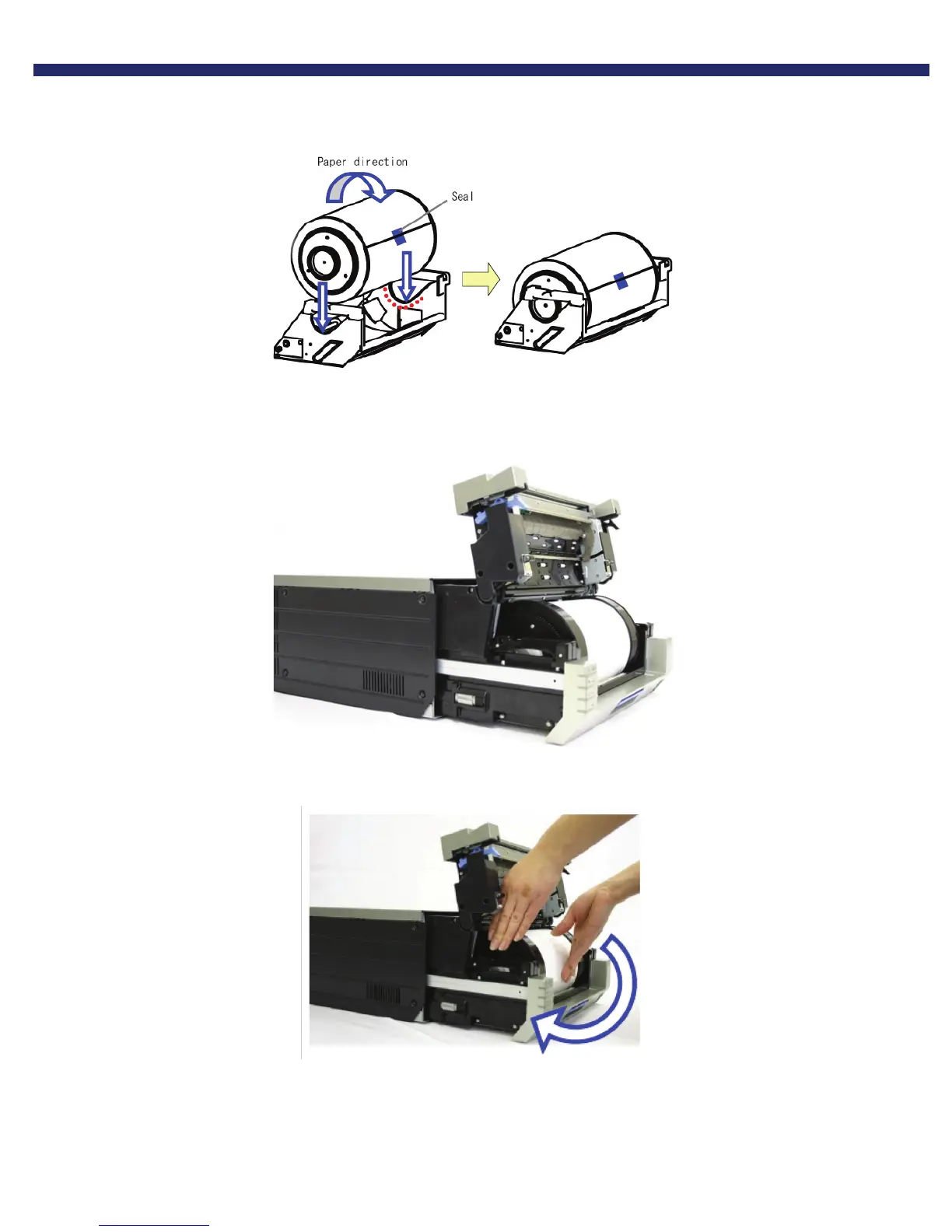
7. Set the paper so that it is in the direction shown.
Figure 6. inserting paper into cassette
8. Remove the seal
9. Advance the paper in the direction indicated. When it is inserted far enough, the buzzer will beep and the paper LED
(orange) will stop blinking.
Figure 7. Advancing the paper



 To Next Page