58 59
■ Timer (Photo/Video)
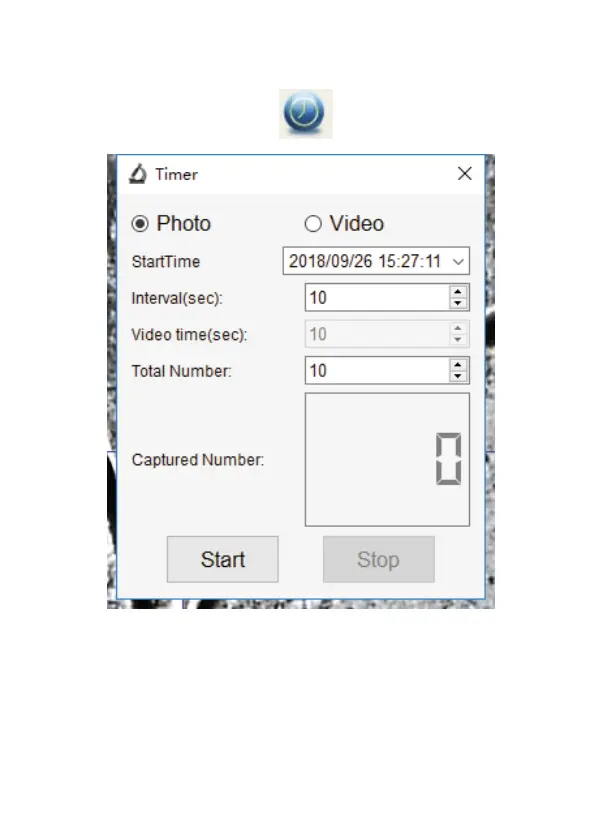
Click ‘Timer’ shortcut icon
in the main menu bar.
* Under Timer Photo, you can set the start time, interval
time, and total picture number.
* Under Timer Video, you can set the start time, interval
time, and total video number.



 To Next Page