24
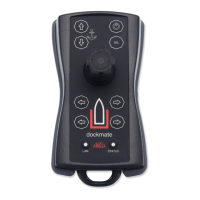
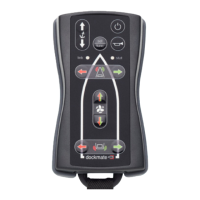
• “sel” (CMD) button
The “sel” button has 2 functions.
The 1
st
function is Take Command.
The 2
nd
function can be nothing, or “SPM” for Caterpillar.
o Take Command
Pressing the “sel” button makes the Dockmate the active steering position.
Depending on your boat’s propulsion system and Dockmate configuration, you may
need to first manually activate the station the Dockmate Receiver is connected to.
o SPM for Caterpillar
Pressing and holding the “sel” button for 1s or more will (de)activate the “SPM”
function on the Caterpillar MPCS CAN bus system. Note that both the boat and
Dockmate need to have this feature installed. If not, this function is disabled, and
pressing this button has no effect.When SPM is activated, the remote’s “stat” LED will
light white , and blinks the entire time this function is engaged. When the SEL button
is pressed for 1s or more again, it deactivates SPM, the remote beeps twice, and the
“stat” LED will stop blinking
white .


 To Next Page