90
90
3.9.3.2 Programming of the time period – activity monitoring
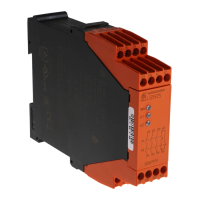
1. Disconnect the multifunction safety module BI 5910 with radio control
2. Insert the electronic key into the remote control
3. Keep the buttons B1and start pressed
4. Release the e-stop button (pic.1)
5. Release buttons B1 and start
6. The actual time value is indicated by the 2 flashing LEDs.of the remote control.
The green LED shows the units and the red LED the tens of the time delay.
7. The new delay time can be adjusted with the buttons B1 and B2 (pic.2+3).
Pressing B1 increments the tens and pressing B2 increments the units. During this procedure
the momentarily selected delay time is indicated on the flashing LEDs.
8. The selected delay time (between 01 and 99, res. 01 and 98 min) is confirmed by pressing
start (pic.4).
9. Leave the programming mode for activity monitoring by pressing e-stop. (pic.6).
Attention:
When selected minutes and delay time 99 the time is infinite. If unintentionally the remote
control is not de-activated it will discharge completely.
3.9.3.2 Programming of the time period – activity monitoring
1. Disconnect the multifunction safety module BI 5910 with radio control
2. Insert the electronic key into the remote control
3. Keep the buttons B1and start pressed
4. Release the e-stop button (pic.1)
5. Release buttons B1 and start
6. The actual time value is indicated by the 2 flashing LEDs.of the remote control.
The green LED shows the units and the red LED the tens of the time delay.
7. The new delay time can be adjusted with the buttons B1 and B2 (pic.2+3).
Pressing B1 increments the tens and pressing B2 increments the units. During this procedure
the momentarily selected delay time is indicated on the flashing LEDs.
8. The selected delay time (between 01 and 99, res. 01 and 98 min) is confirmed by pressing
start (pic.4).
9. Leave the programming mode for activity monitoring by pressing e-stop. (pic.6).
Attention:
When selected minutes and delay time 99 the time is infinite. If unintentionally the remote
control is not de-activated it will discharge completely.


 To Next Page