14 of 27 PSS5000/INGU/805799/09
PSS 5000 – Installation Guide
2 Installing the PSS 5000 Forecourt Controller
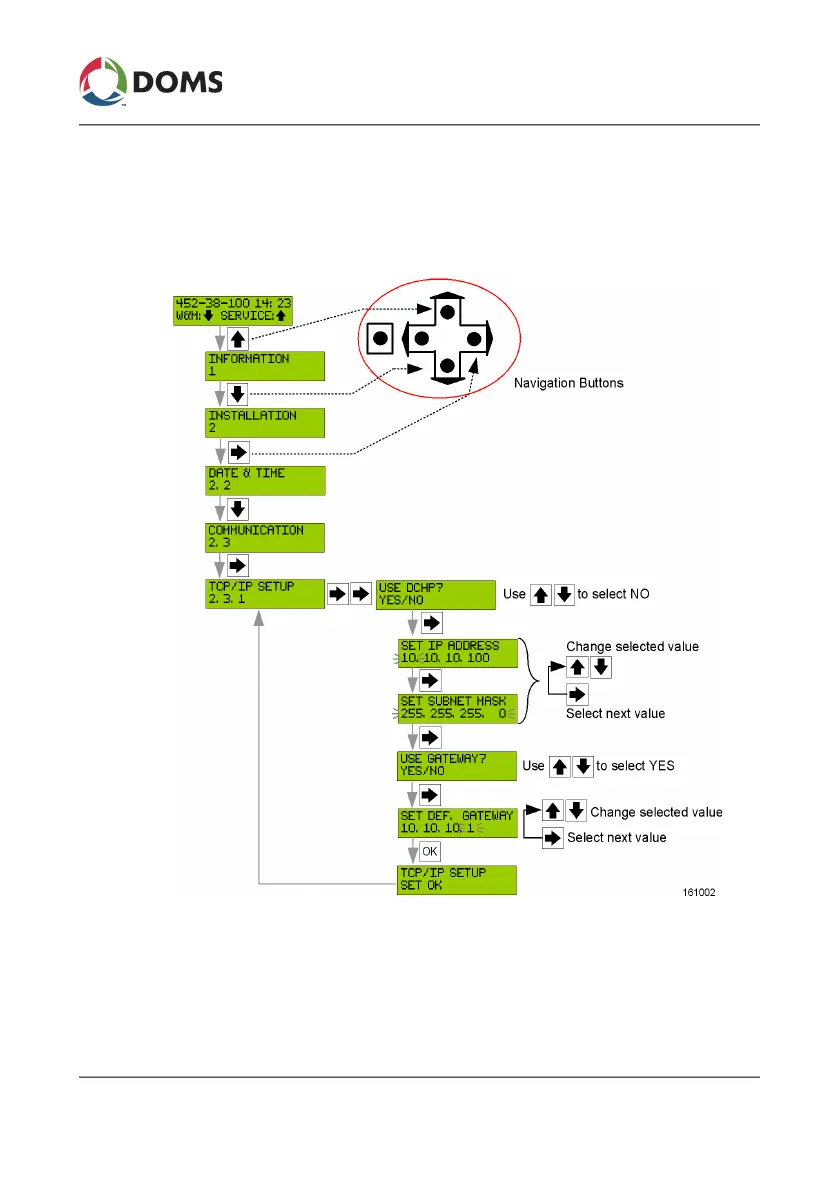
3. Use the navigation buttons as shown below to set the IP address and
gateway for Port 41.
Note: Set the IP address so that Port 41 and Port 42 belong to separate
subnets.
The PSS 5000 can be connected to the LAN and you are ready to proceed
to the next step in the process.
See Also
• ‘IP Address Assignments’ on page 9


 To Next Page