6 of 27 PSS5000/INGU/805799/09
PSS 5000 – Installation Guide
2 Installing the PSS 5000 Forecourt Controller
2.1 Mount the Cabinet
Mounting options
Use the correct procedure for the type of cabinet you want to mount:
• ‘To mount the PSS 5000 Standard cabinet’ on page 6
• ‘To mount the PSS 5000 Compact cabinet’ on page 7
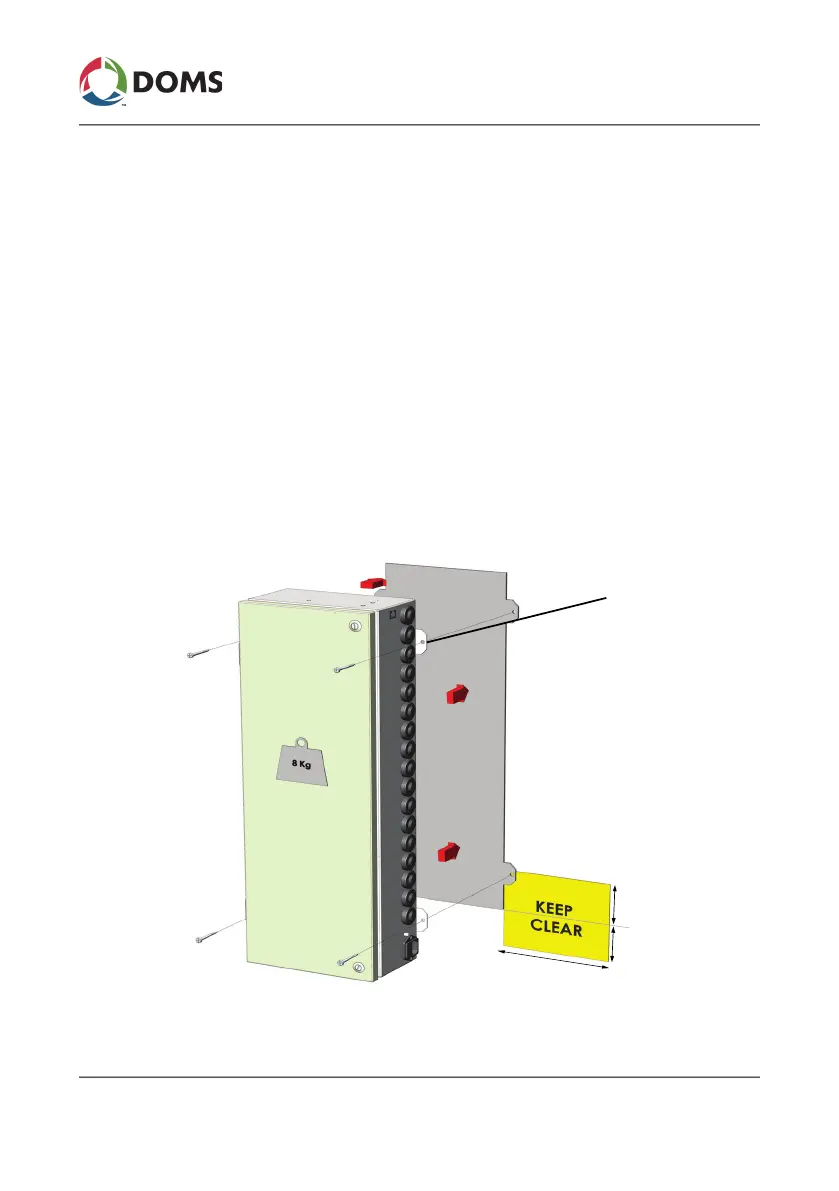
To mount the PSS 5000 Standard cabinet
This procedure describes how to mount the PSS 5000 standard cabinet.
Note: Only install the PSS 5000 in the prescribed environment.
1. Find a spot where there is enough space for both the cabinet and the ca-
ble connections located to the right and below the cabinet.
70 mm
70 mm
170 mm
4 x Ø6 mm



 To Next Page