17
11.2 Burner locking
When this locking happens, in the digital display (21) will
visualize blinking the code "AQ" (Alarm of Burner) and the
alarm warning neon light. It will stop the burner.
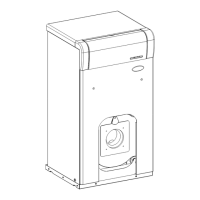
It takes place for any abnormality that could exist in the burner (4) or in the installation of fuel.
To unlock, press the luminous button that lights in the burner.
11.3 Low pressure locking
When this locking happens, in the digital display (21) will
visualize blinking the code "AP" (Pressure Alarm) and the
alarm warning neon light. It will stop the burner and
circulatuing pumps.
It takes place when the pressure of the boiler decreases below 0.5 bar, avoiding boiler
operation when it is empty of water, because any leakage or maintenance operations. To
unlock, fill the installation again, until the digital display (21) indicates between 1 and 1.5 bar.
12 BOILER WATER-EMPTYING
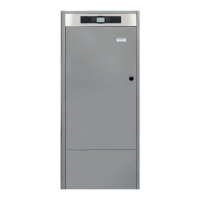
In order to empty the installation water, connect a pipe to the drainage valve of the boiler (1)
and open it. Open the air vent valves, which is located higher than this on the installation, to
accelerate the emptying process.
13 BOILER STOP
To shutdown the boiler, press the power on button (25). In the power off mode, and while the
boiler is connected to the electric network and to the installation of fuel, the boiler stops working
to give heating service and DHW service, but they continue activated the features of anti-freeze
protection and pumps anti-block.
To shutdown the operation of the boiler completely, disconnect the boiler from electric network
and cut the supply of fuel.
14 FIRST START-UP
The start-up of the boiler, for the validity of warranty to be in force, is to be carried out by an
authorised Technical Assistance Service. Prior to proceeding to such a start-up, the following
steps will be performed:
- The boiler is to be electrically connected to the mains.
- The installation has to be filled up with water (the display must indicate between 1-1.5
bar).
- Oil is to come up to the burner at a pressure not higher than 0.5 bar.


 To Next Page