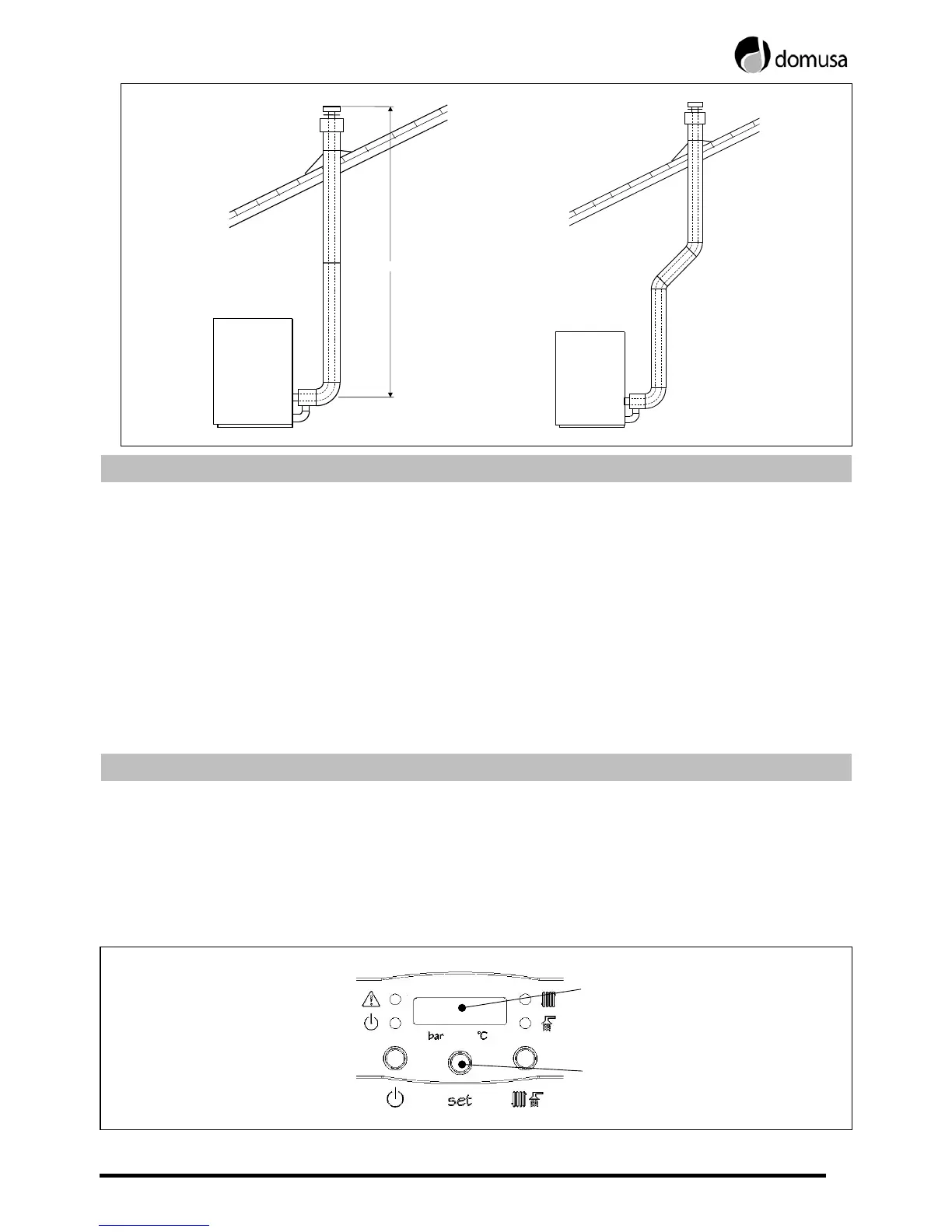
11
L
≤
7/6 mts.
5 INSTALLATION WATER-FILLING
In order to fill the installation, open the filling valve (13) up to the digital display (left side)
indicates a pressure between 1 and 1.5 bar. Filling is to be carried out slowly and with the
automatic air vents (4) plug loose, so that the installation air will be released. In addition, the
other parts of the installation are to be properly drained by means of the drip valves fitted for
such a purpose. Once the installation has been filled up, close the filling valve.
The boilers Evolution incorporates a pressure sensor (9), which controls the pressure of the
installation. If the installation doesn not have a minimum pressure of 0.5 bar, the boiler will
blockout and an alarm of low pressure will be visualized ("AP").
NOTE: Switching-on the boiler without water could result in serious damage to it.
6 DIGITAL DISPLAY
The boiler Evolution is electronic and incorporates a digital display (21) for the visualization of
those actual temperatures, the set point temperatures and the pressure of the installation.
Under stand by conditions of the display, it visualizes the pressure, in its left side (bar), and the
actual temperature of the boiler, in its right side (ºC). Pressing the button SET located under the
display, it will be able to navigate per rest of the available visualization options, according to the
following instructions:
SET but t on
Digital Displa


 To Next Page