9
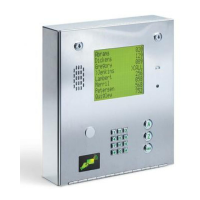
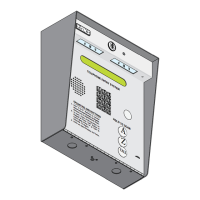
The keypad on the 1814 system has all the letters of the alphabet, the numbers 0 through 9, and a
space key printed on it. This allows the keypad to be used to program all names and numbers into
the systems electronic directory.
NOTE: Names should not be programmed from a remote location using a touch-tone telephone.
3.3.1 Programming Letters and Numbers
When entering names into the electronic directory using the system keypad or a touch-tone
telephone, pressing the key once will display the first letter listed on the button, pressing twice will
display the second letter, pressing it a third time will display the third letter, and pressing it a fourth
time will display the number (or fourth letter).
Example using the number 6 key:
Press one time to display the letter M
Press two times to display the letter N
Press three times to display the letter O
Press four times to display the number 6
The chart below provides the sequence required to enter each letter and number from the keypad into
the system memory. A sequence is also provided to add a space, clear the display if a mistake is
made, and a sequence to skip a name if there is a desire not to provide a name with a phone number.
3.3 PROGRAMMING LETTERS, NUMBERS and MESSAGES
MNO
6
To Display Press To Display Press To Display Press
A
N
0
B
O
1
C
P
2
D
Q
3
E
R
4
F
S
5
G
T
6
H
U
7
I
V
8
J
W
9
K
X
SPACE
L
Y
CLEAR
M
Z
SKIP NAME



 To Next Page