EasyManua.ls Logo

DoorKing 1814 - User Manual

DoorKing 1814
57 pages
Print Icon
To Next Page IconTo Next Page
Loading...
Owner’s Manual
Model 1814
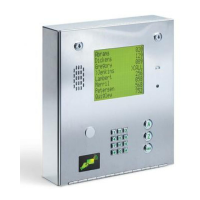
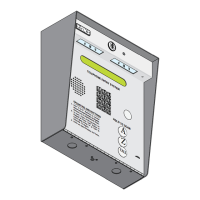
Electronic Directory Telephone Entry System
P/N 1814-065 REV H, 10/01
Copyright 2001 DoorKing, Inc. All rights reserved.
DoorKing, Inc.
120 Glasgow Avenue
Inglewood, California 90301
U.S.A.
Phone: 310-645-0023
Fax: 310-641-1586
www.doorking.com

Table of Contents

Questions and Answers

  • G
    gdunlapSep 10, 2025
    How to resolve relay activates but gate operator will not open on DoorKing Intercom System?
    • K
      Kurt McguireSep 10, 2025
      If the relay activates but the gate operator does not open on your DoorKing Intercom System, consider the following: * Reprogram the relay strike time for a longer period (refer to section 3.2.4). * Check the wiring to the gate operator. * Inspect the gate operator itself.
  • C
    carloswillisAug 23, 2025
    What causes DoorKing 1814 to not get into programming mode?
    • E
      Elizabeth MartinezAug 23, 2025
      If you're having trouble entering programming mode on your DoorKing Intercom System, consider the following possible causes: * You might be entering the wrong master code; if so, start the process again. * You may be waiting too long between button presses; try entering the information more quickly. * The keypad might not be correctly plugged into the board; ensure the cable points down. * The memory chips could be installed upside down.
  • B
    Brett MooreAug 26, 2025
    How to fix ringing or howling from the DoorKing 1814 speaker?
    • J
      janet86Aug 27, 2025
      Ringing or howling from the speaker of your DoorKing Intercom System is often due to incorrect feedback adjustment or a volume setting that's too high. Try these solutions: * Adjust the feedback (refer to section 4.2). * Lower the volume (refer to section 4.1).
  • M
    Mr. Jonathan Scott Jr.Aug 27, 2025
    What to do if the DoorKing Intercom System door strike locks on?
    • J
      Jennifer PayneAug 27, 2025
      If the door strike on your DoorKing Intercom System remains locked, it could be due to: * Excessive voltage drop on the 16 VAC line. * Using a transformer with too low VA rating. * A relay strike time programmed for too long (refer to section 3.2.4).
  • A
    adammillerAug 29, 2025
    Why does the DoorKing 1814 emit a long tone and cancels programming?
    • B
      Brian CraigAug 29, 2025
      If your DoorKing Intercom System emits a long tone and cancels programming, it could be due to: * Waiting too long between button presses. * Forgetting to press first when programming.
  • J
    johnsamandaNov 23, 2025
    Why is there a buzz or noise on the DoorKing Intercom System phone line?
    • R
      Robyn ReyesNov 24, 2025
      A buzz or noise on the phone line of your DoorKing Intercom System can stem from several issues. First, disconnect the phone line from the system and test it with a handset to determine if the noise originates from the phone line itself. If the line is clear, inspect the system for the following: * Shorts to ground behind the circuit board. * Pinched wires near the door hinge. * A 16-volt power supply shorted to ground. * A phone line shorted to ground. * Ensure phone wires are twisted and that the correct type of phone wire is used, especially for outdoor or underground applications. * Verify all wires, including the speaker and keypad, are isolated from ground. * Confirm the cabinet is properly grounded, ensuring the case ground (terminal 3) isn't used as a low voltage com...
  • C
    Curtis WallaceSep 18, 2025
    What does 'LCD display shows: Need 1815(17) SM MEMCHIP' mean on DoorKing 1814?
    • C
      Carol SnyderSep 18, 2025
      This message on your DoorKing Intercom System indicates that the small chip in the PC board socket is for an 1818 system and cannot be used in the telephone entry system.
  • D
    Dr. Christopher Long Jr.Sep 22, 2025
    How to fix unreadable LCD on DoorKing 1814?
    • J
      Jo McculloughSep 22, 2025
      If the LCD on your DoorKing Intercom System is unreadable, try adjusting the contrast (refer to section 4.4).
  • A
    Amy GonzalezSep 8, 2025
    How to resolve postal switch will not activate relay on DoorKing 1814 Intercom System?
    • C
      Carol BrockSep 8, 2025
      If the postal switch is not activating the relay on your DoorKing Intercom System, ensure that: * The wire-tie has been clipped off the postal switch. * The relay has been programmed for postal switch input (refer to section 3.2.7).
  • L
    Linda WrightSep 5, 2025
    Why does DoorKing 1814 entry system will not answer when called?
    • B
      browndavidSep 5, 2025
      If your DoorKing Intercom System is not answering when called, it could be due to: * The ring pin not being installed (refer to section 4.6). * A bad phone line or insufficient ring voltage.

Summary

Installation

Installation Guidelines

Essential guidelines for installing the system, including general procedures and precautions.

Memory Chip Installation

Detailed steps for installing the system's memory chips, crucial for proper operation.

Postal Lock Installation

Instructions for installing a postal lock, enabling mail carrier access to the entry system.

Wiring

Wiring General Information

Overview of wiring requirements, including wire types, grounding, and conduit considerations.

Main Terminal Description

Details the function of each terminal connection on the main circuit board for wiring.

Relay Wiring

Illustrates typical wiring configurations for controlling doors or gates using system relays.

Programming

Programming Information

Introduces programming methods and provides essential tips for successful system configuration.

General Programming

Covers fundamental programming settings like master code, system mode, and strike times.

Programming Letters, Numbers, and Messages

Guides on how to program names, user messages, and instruction messages into the system.

Programming Phone Numbers and Names

Detailed instructions for entering resident phone numbers, names, and directory codes.

Four-Digit Entry Codes

Covers the programming and management of four-digit entry codes for resident access.

Adjustments

Speaker Volume Adjustment

Instructions for adjusting the speaker volume for clear communication.

Feedback Adjustment

Guidance on adjusting the audio feedback for optimal microphone performance.

Click Sensitivity Adjustment

Steps to adjust the click sensitivity for proper rotary dial or touch-tone recognition.

Display Contrast Adjustment

Procedure to adjust the LCD display contrast for readability.

Master Code Switch

Explains the function and use of the master code switch for system programming.

Operating Instructions

Guest Operating Instructions

Guides guests on how to locate residents and communicate using the entry system.

Resident Operating Instructions

Informs residents on how to grant or deny access to guests and use entry codes.

System Administrator Operations

Details operations for system administrators, including remote access and hold-open commands.

Miscellaneous Operating Instructions

Covers special operating features like line sharing, PBX connection, and 10-digit dialing.

Maintenance

Troubleshooting

Provides solutions for common problems, troubleshooting steps, and contact information for assistance.

Accessories

Lists available accessories for the telephone entry system, such as mounting kits and test sets.

Log Tables

Provides log tables for recording programmed information like resident data and system settings.

DoorKing 1814 Specifications

General IconGeneral
BrandDoorKing
Model1814
CategoryIntercom System
LanguageEnglish

Related product manuals