0
3.3.2 Programming the User Message
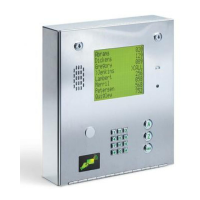
The user message, followed by the instruction message, scrolls across the screen from right to left
when the system is not in use. Both the user and instruction message can be programmed to display
your own message. The user message can be a maximum of 48 characters (spaces count as a
character) and is entered into the system memory in three blocks. The first two blocks contain 20
characters while the third block contains 8 characters. The example below shows how the sample
message was divided into three blocks. Use the blank matrix to organize your own message. Only
upper case letters, numbers and spaces can be programmed from the system keypad.
Factory Default User Message = This Space is For Your User Programmable Message
After organizing the user message in the matrix above, follow the instructions below to enter the
message into the system. After each desired letter, number or space is displayed on the directory,
remember to press
to enter that character. Spaces count as a character and must be entered into
memory as a character. After a complete block has been entered, press
to enter the block, then
start the next block.
1. Press
and enter the four-digit MASTER CODE _ _ _ _ (beep). The screen will
display:
BLOCK 1
.
2. Enter the characters into block 1. Remember to press
(beep) after each character.
3. After the last character in block 1 has been entered, press
(beep) to enter the entire
block. The screen will display:
BLOCK 2
.
4. Enter the characters into block 2. Remember to press
(beep) after each character.
5. After the last character in block 2 has been entered, press
(beep) to enter the entire
block. The screen will display:
BLOCK 3
.
6. Enter the characters into block 3. Remember to press
(beep) after each character.
7. After the last character in block 3 has been entered, press
(beep) to enter the entire
block.
8. Press
to enter all three blocks into the system memory.
9. Press
together to end this programming step (beeeeeep).
10. The new user message will begin to scroll across the screen.
Example
THANK YOU FOR VISITING OAKWOOD CONDOMINIUMS
1 2 3 4 5 6 7 8 9 10 11 12 13 14 15 16 17 18 19 20
Block 1 T H A N K Y O U F O R V I S I T I
Block 2 N G O A K W O O D C O N D O M I N I
Block 3 U M S
1 2 3 4 5 6 7 8 9 10 11 12 13 14 15 16 17 18 19 20
Block 1
Block 2
Block 3



 To Next Page