2-42 Operating Controls 022-00029AE Operation and Maintenance Manual
STEREO
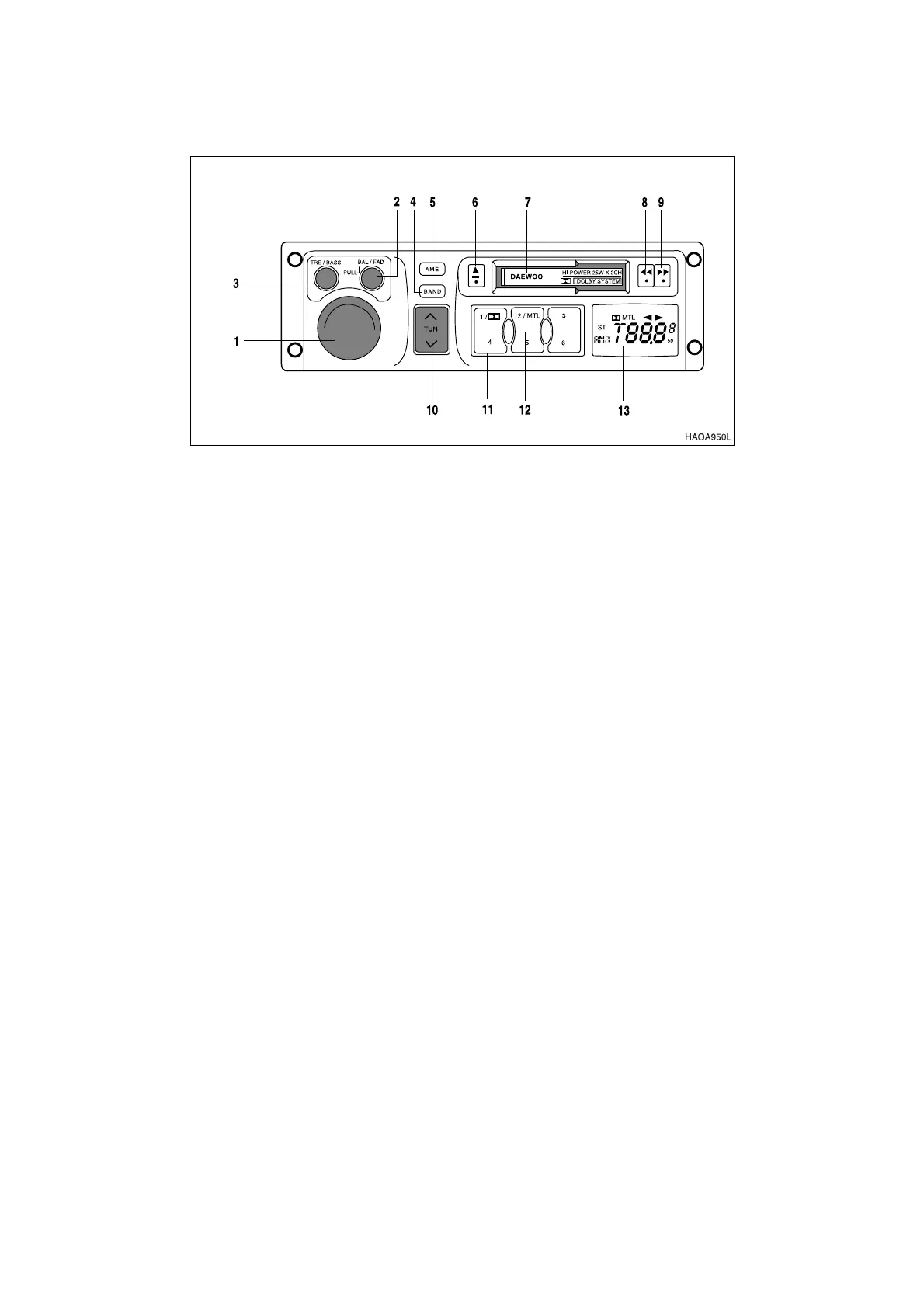
1. ON-OFF / VOLUME CONTROL KNOB
2. BALANCE / FADER CONTROL
3. BASS/TREBLE CONTROL
4. AM/FM BAND SELECTION
5. AUTOMATIC MEMORY (AME)
6. TAPE EJECT BUTTON
7. CASSETTE SLOT
8. & 9. PLAY DIRECTION BUTTON
10. AUTOMATIC SELECTION
11. DOLBY B SELECTION
12. METAL SELECTION
13. LCD DISPLAY PANEL
1. ON-OFF / VOLUME CONTROL KNOB
When this button is pressed, stereo will be turned "ON."
When this button is pressed a second time, power turns "OFF."
Increase volume by rotating control clockwise.
When stereo is turned "ON," LCD display will indicate radio stations and/or tape functions.
2. BALANCE / FADER CONTROL
This control adjusts both side to side balance of stereo sound and front to back fading.
Rotating control counterclockwise will increase volume to the left speakers, clockwise increases
volume to the right speakers.
Press on control and it will pop out; you can now adjust the fader (front/rear) balance.
Rotating control counterclockwise increases volume to the rear speakers, clockwise increases
volume to the front speakers.
Figure 88



 To Next Page