DORAN MODEL 8000
OPERATING AND SERVICE MANUAL
MAN0002-42 of 33
21
DATA = Six character field including decimal point for weight data. Leading zeros are
sent as spaces.
DATALB = One to three character field (depending on scale capacity) for pound
weight in pounds & ounces. Leading zeros are sent as spaces.
DATAOZ = One to four character field (depending on scale capacity) for ounce weight
in pounds & ounces. Leading zeros are transmitted as spaces.
SP = Space
ST = Status
CR+LF = Carriage return (13H) and line feed (10H)
OL = Overload
US = Unstable
NT = Net
GS = Gross
6. CALIBRATING THE 8000
6.1 INTRODUCTION
The 8000 was designed to make calibration as simple and flexible as possible.
Calibration is done from the front panel using aone test weight.
6.2 ENTERING THE CALIBRATION MODE
1. Remove the small access plate on the back of the 8000 by removing the two hex
head screws that hold the panel in place.
2. Reach into the opening with a nonconductive object, such as the eraser end of a
pencil, and flip the red toggle switch on the PCB. This places the 8000 in the
programming mode.
3. Press the CONV button. The indicator will flash "C" in the leftmost digit of the display
and show the actual weight on the platform.
6.3 ANALOG ZERO CALIBRATION
6.3.1 Reading The Raw A/D Platform Data
To display the internal counts (raw count), enter the calibration mode.
Press and hold the PRINT button to display the internal counts. A negative weight is
displayed with a negative sign in front of the number.
6.3.2 Zero Dip Switch
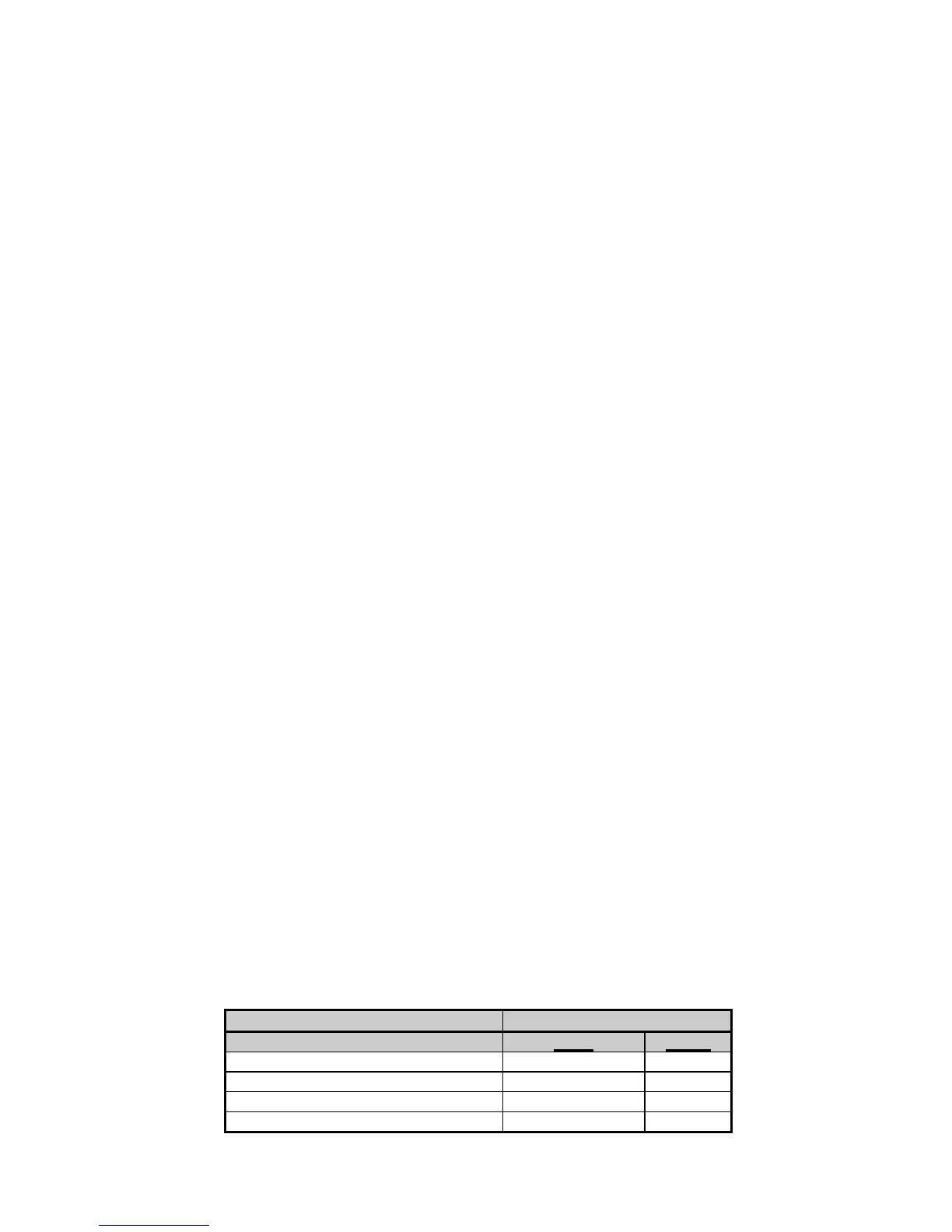
Zero Offset Chart
Zero Offset S2 Setting
(Including Pot) S2-1 S2-2
60% zero up or down 0 0
40% to 160% zero down 1 0
115% to 235% zero down 0 1
215% to 335% zero down 1 1



 To Next Page