1
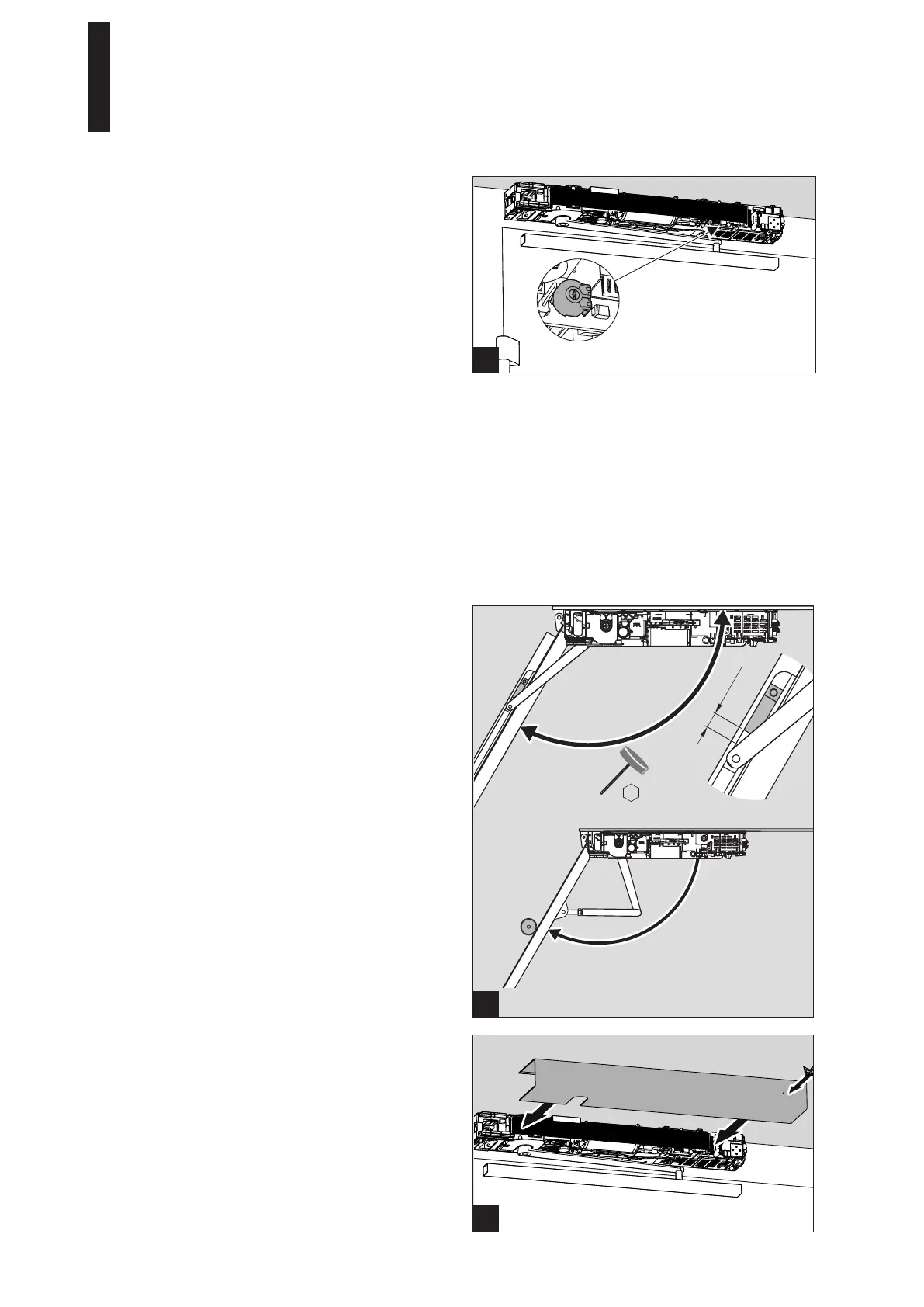
5.11 Setting the Closing Time in a De-Energized State
1. Set the closing time on the potentiometer.
It is imperative that the time is set. If the door closes
in less than 3 seconds, error message 73 (braking
circuit test) appears.
5
1
1
2.5 mm
5.13 Setting the End Stop on the Slide Channel
The end stop must be set such that the set opening angle
cannot be exceeded when the door is pushed manually.
1. Switch the program switch to the PERMANENT OPEN
position.
► The door moves as far as the set opening width.
2. Slide the buffer and the end stop until they are 5 mm
away from the slide shoe.
3. Screw down the end stop.
We advise using a door stop.
A door stop must be used when the standard arm is
used.
5.14 Installing the Cover
1. Place the cover hood on the drive and press it until you
hear it snap into place.
Do not pinch any cables while doing so.
5.12 Commissioning the Drive
1. Commission the drive.
For this, see Commissioning on page 27.
ED 100, ED 250
—
21DORMA




 To Next Page