EasyManua.ls Logo

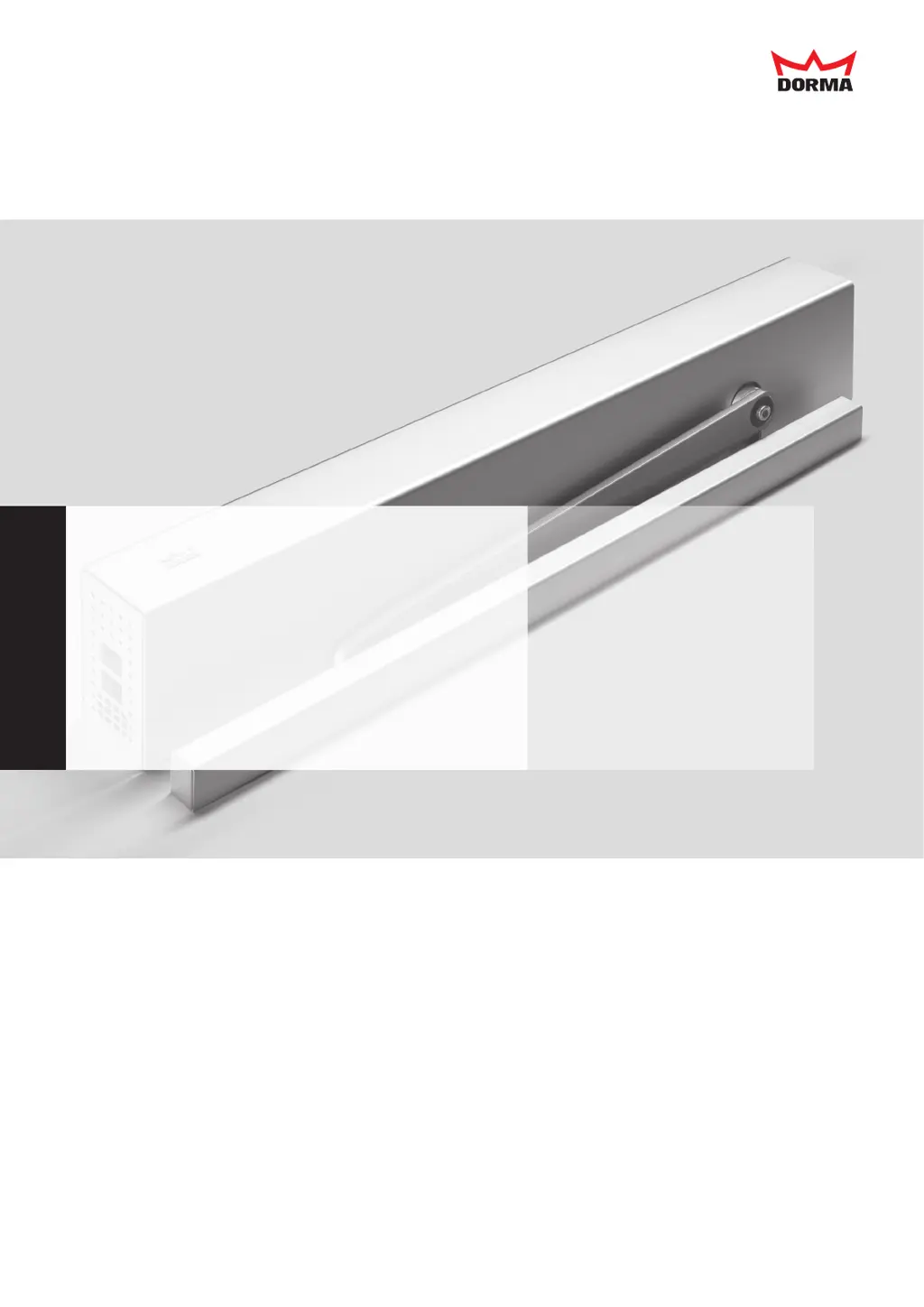
Dorma ED 100 - User Manual

Dorma ED 100
44 pages
Print Icon
To Next Page IconTo Next Page
Loading...
Installation and Operating Instructions
ED 100, ED 250
—

Other manuals for Dorma ED 100

Questions and Answers

  • D
    David BurkeAug 17, 2025
    What to do if Dorma ED 100 is hard to open manually during installation?
    • J
      Jessica WilliamsAug 17, 2025
      If you're finding it difficult to manually open the Dorma Door Opening System door during installation, and the closing movement happens at a high speed, it's likely that the connector of the braking circuit is in the incorrect position. The connector must be positioned correctly depending on the arms assembly used. See page 23 point 5.11.
  • T
    Timothy HaasAug 25, 2025
    How to fix Dorma ED 100 Door Opening System program switch not working?
    • M
      Megan JacksonAug 26, 2025
      If the internal or external program switch on your Dorma Door Opening System isn't working correctly, it could be due to a few reasons. First, the parameter program switch type might be incorrectly set, so ensure the type used is correctly set as parameter program switch type. Second, the cable of the internal program switch might not be attached, so test the cable and connect it if necessary. Finally, there could be a connection error or switch defect, so test the wiring and function of the switch.
  • C
    Carl DunnAug 28, 2025
    Why can't I start the teach-in run on my Dorma ED 100 Door Opening System?
    • D
      Debra McneilAug 28, 2025
      If the teach-in run cannot be started on your Dorma Door Opening System, it could be due to the program switch being in the incorrect position. Turn the program switch into the "OFF" position. Alternatively, the signal shutdown drive function (4/4a) might be active, so test the wiring of the smoke detector or the stop signal on 4/4a.
  • C
    Catherine MilesAug 30, 2025
    Why does my Dorma Door Opening System open automatically but respond slowly?
    • C
      Christopher HancockAug 30, 2025
      This issue may arise if the hold-open time is set for too long; try reducing this parameter. Alternatively, the program switch might be set to PERMANENT OPEN; try changing its position. Also, a signal from the safety sensor on the opposite hinge side or from a connected activator could prevent the door from closing. Check the wiring and functioning of the sensor and ensure any connected activators use a normally open (NO) contact. As a last resort, signal input 57/57a may be operated with external voltage. Signal input 35, 57, 42 and 41 must be removed one after the other in order to localise the error.
  • J
    Jorge WilliamsSep 2, 2025
    What to do if my Dorma Door Opening System only works manually?
    • J
      jason87Sep 2, 2025
      First, ensure the mains switch is on. If the green LED isn't lit, there may be a power supply issue; check and restore the power supply if needed. If the power supply is active but there's no 24 V DC output, the power supply unit needs replacement. Also, check that the program switch is set to AUTOMATIC or PERMANENT OPEN, not OFF or EXIT ONLY. Lastly, verify the safety sensor on the hinge side isn't emitting a signal, which would prevent the door from opening; inspect its wiring and function. If the red LED at the main switch blinks, the control unit has detected a malfunction and the system now operates in emergency mode. If the LED in the upper left corner blinks, the wall blanking is activated – the blinking does not indicate an error.
  • E
    Eric JosephSep 5, 2025
    Why does my Dorma Door Opening System have inconsistent speeds?
    • Q
      qsmithSep 5, 2025
      The driving speeds may vary heavily from the adjusted parameters if the learning cycle was performed when the motor was hot. The system calculates an incorrect door-leaf weight under those conditions. To resolve this, restart the learning cycle when the motor is cold.
  • L
    Lawrence BlakeSep 7, 2025
    Why isn't my Dorma Door Opening System starting the learning cycle?
    • C
      Courtney HerreraSep 8, 2025
      The system might not start the learning cycle if the program switch is in the wrong position; set it to OFF. Also, check if signal 4/4a (deactivation of operator function) is activated. Inspect the cabling of the smoke detector or interrupt signal at 4/4a.
  • C
    Christopher GarciaSep 12, 2025
    What causes a Dorma ED 100 program switch to malfunction?
    • T
      tinahillSep 12, 2025
      If the internal/external program switch isn't working correctly, the parameter for the program switch type might be set wrong; adjust it to the correct setting. Also, check if the internal program switch cable is disconnected and connect it if needed. Finally, examine the switch's wiring and function for any faults or defects.
  • C
    Cesar KaneSep 13, 2025
    What to do if Dorma Door Opening System doesn't open because of safety sensor?
    • C
      Collin FryeSep 13, 2025
      If your Dorma Door Opening System is only working manually or not opening automatically, it could be due to a signal from the safety sensor on the hinge side. The signals are displayed on the user interface's LED with decimal points. Check the sensor's wiring and function. If the LED in the top left-hand corner flashes, wall blanking is active, and no error is present.
  • J
    Jesse JonesNov 19, 2025
    What to do if Dorma Door Opening System opens automatically but closes slowly?
    • J
      Joseph SmithNov 19, 2025
      If the Dorma Door Opening System opens automatically but closes after a long time, or not at all, it could be due to several reasons. The hold-open time might be set too long, so try reducing it. The program switches might be in the Permanent Open position, so switch the program switch. A signal from the safety sensor on the opposite hinge side might be preventing the closing, so test the wiring and function of the system; the signals of the safety sensors will be displayed for the diagnosis directly with the 2 decimal points of the LED display on the user interface; in case of a detection, the respective decimal point will light; if the LED at the top left flashes, the wall suppression will be active; there is no error. Finally, a signal from a connected activator might be preventing the ...

Summary

General Information

Safety

Product Description Continued

Technical Data Summary

Presents comprehensive technical specifications for the drives.

Installing the Drive

5.1 Dismantling Drive from Mounting Plate

Provides steps for safely removing the drive from its mounting plate.

5.3 Installing the Mounting Plate

Guides on securely mounting the drive's base plate to the substructure.

5.4 Fixing Drive to Mounting Plate

Steps for attaching the drive unit to the prepared mounting plate.

5.8 Installing the Lever

Guides on screwing the lever onto the drive axle with the correct torque.

5.10 Setting the Braking Circuit

Outlines how to set the braking circuit for safe door operation.

5.8 Setting the Spring Tension

Explains how to adjust the spring tension for proper drive operation.

5.11 Setting Closing Time (De-Energized)

Details setting the closing time potentiometer when the drive is de-energized.

5.12 Commissioning the Drive

Refers to the main commissioning procedure on page 27.

Connecting Accessories

6.1 Terminal Assignment

Details the function and connection points for various accessories.

Commissioning

Learning Cycle and Double-Leaf System

Details the learning cycle and commissioning for double-leaf systems.

Diagnosis; Troubleshooting

Handling Error Messages E0-E9

Details how to manage and reset error messages indicating hardware defects.

Troubleshooting Common Malfunctions

Provides solutions for common installation and operational issues.

Diagnosis; Troubleshooting Continued

Error Messages

Error Codes In 01-72 Overview

Lists and explains error codes from In 01 to In 72.

Error Messages Continued

Error Codes In 73, 91 and E02-E25

Explains error codes In 73, 91 and E02 through E25.

Information for Facility Drive

Dorma ED 100 Specifications

General IconGeneral
Adjustable Closing SpeedYes
Latching SpeedAdjustable
TypeElectromechanical
Power Supply230 V AC, 50 Hz
Fire RatedYes
BackcheckAdjustable
Delayed ActionAdjustable
Hold-Open FunctionYes
FinishSilver

Related product manuals