Bluetooth Unlocking (optional)
8
Shake to unlock:
Enter the device interface,
shake the mobile phone and
the smart lock will be
unlocked successfully.
‚ Single touch to unlock via
APP: Enter the device
interface, click the unlocking
icon ' ' to unlock.
Correct
Wrong
Fingerprintregistrationand
authenticationareavailableonlywhen
thefingerprintcollectionindicatorison.
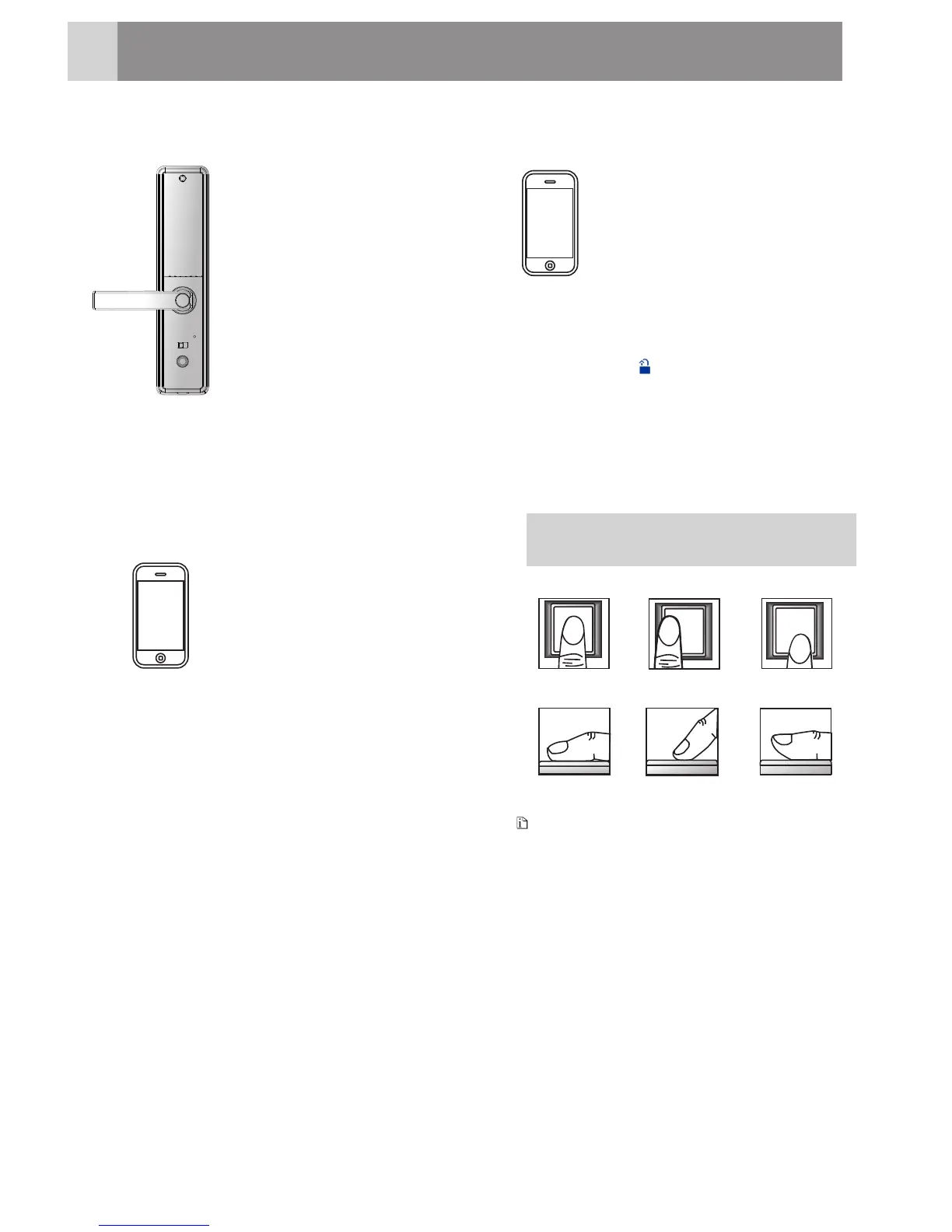
Unlocking via interior Handle
7
Press the safety button and
press down the handle to
open the door.
The lock with safety handle
(optional):
For the lock without safety
handle:
press down the handle
to open the door.
1
9
Zigbee Wireless Unlocking (optional)
One-key unlocking button:
Enter the activation code at
the lock end, thenAPP will
receive aremote unlocking
request .Click theunlock
button,thelockwillbe
unlockedwithin 30
seconds.
‚Shaketounlock:
Enter the activation PIN
code at the lock end,thenAPP
willreceivea remote
unlocking request.
Shake your mobile
phone on the device list
interface,thelockwillbe
unlocked within 30 seconds.
HowtoUse
Collect Fingerprint
Wrong
Wrong
Correct
Wrong
Note
14







 To Next Page