EasyManua.ls Logo

Dormakaba 2725-K6 - User Manual

Dormakaba 2725-K6
35 pages
Print Icon
To Next Page IconTo Next Page
Loading...
dormakaba c-lever compact
HBC
08/2017
EN
Technical Manual

Table of Contents

Question and Answer IconNeed help?

Do you have a question about the Dormakaba 2725-K6 and is the answer not in the manual?

Summary

About this document

Target audience

Defines the intended audience for the quick start guide.

Document validity

Specifies the product designation and variants covered by this manual.

Contents and purpose

Outlines the scope and objective of the technical manual.

Supplementary documents

Lists additional relevant documentation available from sales partners.

Abbreviations and terms

Provides definitions for short designations and symbols used throughout the document.

Hazard categories

Explains the different categories of hazard warnings used to ensure safety.

Notes

Describes the symbol used for informational tips and useful advice.

Symbols

Lists hazard symbols and their associated meanings for user safety.

Basic safety instructions

Designated use

Clarifies the intended application of the product and liability for non-designated use.

Product changes

States that product modifications must adhere to the instructions provided.

ESD prevention measures

Details precautions to prevent damage to electronic components from electrostatic discharge.

Handling lithium batteries

Provides safety guidelines for handling lithium batteries to prevent fire and explosion hazards.

Powerful magnets warning

Warns about potential interference of magnets with pacemakers and implanted defibrillators.

Product description

Product overview

Introduces the electronic door fitting, its components, and core functionality.

Component structure

Illustrates the physical components of the c-lever compact with an itemized list.

Scope of delivery

Lists all items included in the standard product package.

Technical specifications

Presents detailed technical data, including dimensions and conformity to EU directives.

Installation

Minimum distance check

Ensures adequate clearance for battery holder removal during installation.

Drilling fixing holes

Guides on creating necessary drill holes based on the fitting used.

Battery holder insertion

Details the procedure for correctly inserting the battery holder into the mechatronics unit.

Additional torsion lock

Explains how to measure and attach sleeves for an additional torsion lock.

Securing battery holder

Describes how to use an optional screw for more secure battery holder mounting.

Mounting outside lever handle

Step-by-step instructions for attaching the outside lever handle and spindle.

Spindle mounting

Guides on centering the lug and correctly inserting the spindle into the unit.

Inserting c-lever into lock

Details how to push the c-lever through the lock hub with the spindle.

Mounting inside rosette

Steps for attaching the inside rosette and lever handle to the unit.

Remove protective film

Simple instruction to remove the protective film from the device.

Disable Bolt Recreation Time

Explains how to switch off 'Bolt Recreation Time' via system software.

Product dismantling

Covers the process of disassembling the inside and outside components of the device.

Programming

Initial MRD component programming

Details the first-time setup for MRD components using master media.

Master media types

Explains the role and structure of A and B master media for component programming.

User media management

Describes user media organization and handling lost media.

Program structure overview

Outlines the A/B and B structures for organizing components and user media.

A;B and B structure diagrams

Visually explains the hierarchical organization of master and user media.

Program user media with B masters

Step-by-step guide for programming user media using B masters.

Delete individual user media

Provides instructions for removing specific user media from the system.

Delete individual B masters

Details how to delete a B master and its associated user media.

Delete all user media

Explains the process of removing all user media associated with a Master B.

INI reset with master media

Describes how to perform an INI reset to restore factory settings using master media.

Operation

Opening with user media

Step-by-step guide on how to open the door using authorized user media.

Maintenance

Maintenance schedule

Summarizes recommended maintenance intervals for batteries and firmware updates.

Cleaning instructions

Provides guidelines on how to safely clean the product's surfaces.

Service

Battery replacement

Detailed instructions and warnings for safely replacing the device batteries.

Programmer connection

Explains how to connect the c-lever device to a programming unit.

Configuration and traceback

Covers updating device time and retrieving system logs for analysis.

Troubleshooting

Error analysis guide

Provides a table to diagnose and resolve common product errors and symptoms.

Disposal and dismantling

Decommissioning and dismantling

Steps to remove and reset the device before disposal.

Product disposal

Guidelines for environmentally responsible disposal according to WEEE directive.

Packaging and return

Complete device packaging

Instructions for properly packaging complete devices for return or transport.

Electronic component packaging

Guidelines for packing ESD-sensitive electronic components for safe transit.

Summary

About this document

Target audience

Defines the intended audience for the quick start guide.

Document validity

Specifies the product designation and variants covered by this manual.

Contents and purpose

Outlines the scope and objective of the technical manual.

Supplementary documents

Lists additional relevant documentation available from sales partners.

Abbreviations and terms

Provides definitions for short designations and symbols used throughout the document.

Hazard categories

Explains the different categories of hazard warnings used to ensure safety.

Notes

Describes the symbol used for informational tips and useful advice.

Symbols

Lists hazard symbols and their associated meanings for user safety.

Basic safety instructions

Designated use

Clarifies the intended application of the product and liability for non-designated use.

Product changes

States that product modifications must adhere to the instructions provided.

ESD prevention measures

Details precautions to prevent damage to electronic components from electrostatic discharge.

Handling lithium batteries

Provides safety guidelines for handling lithium batteries to prevent fire and explosion hazards.

Powerful magnets warning

Warns about potential interference of magnets with pacemakers and implanted defibrillators.

Product description

Product overview

Introduces the electronic door fitting, its components, and core functionality.

Component structure

Illustrates the physical components of the c-lever compact with an itemized list.

Scope of delivery

Lists all items included in the standard product package.

Technical specifications

Presents detailed technical data, including dimensions and conformity to EU directives.

Installation

Minimum distance check

Ensures adequate clearance for battery holder removal during installation.

Drilling fixing holes

Guides on creating necessary drill holes based on the fitting used.

Battery holder insertion

Details the procedure for correctly inserting the battery holder into the mechatronics unit.

Additional torsion lock

Explains how to measure and attach sleeves for an additional torsion lock.

Securing battery holder

Describes how to use an optional screw for more secure battery holder mounting.

Mounting outside lever handle

Step-by-step instructions for attaching the outside lever handle and spindle.

Spindle mounting

Guides on centering the lug and correctly inserting the spindle into the unit.

Inserting c-lever into lock

Details how to push the c-lever through the lock hub with the spindle.

Mounting inside rosette

Steps for attaching the inside rosette and lever handle to the unit.

Remove protective film

Simple instruction to remove the protective film from the device.

Disable Bolt Recreation Time

Explains how to switch off 'Bolt Recreation Time' via system software.

Product dismantling

Covers the process of disassembling the inside and outside components of the device.

Programming

Initial MRD component programming

Details the first-time setup for MRD components using master media.

Master media types

Explains the role and structure of A and B master media for component programming.

User media management

Describes user media organization and handling lost media.

Program structure overview

Outlines the A/B and B structures for organizing components and user media.

A;B and B structure diagrams

Visually explains the hierarchical organization of master and user media.

Program user media with B masters

Step-by-step guide for programming user media using B masters.

Delete individual user media

Provides instructions for removing specific user media from the system.

Delete individual B masters

Details how to delete a B master and its associated user media.

Delete all user media

Explains the process of removing all user media associated with a Master B.

INI reset with master media

Describes how to perform an INI reset to restore factory settings using master media.

Operation

Opening with user media

Step-by-step guide on how to open the door using authorized user media.

Maintenance

Maintenance schedule

Summarizes recommended maintenance intervals for batteries and firmware updates.

Cleaning instructions

Provides guidelines on how to safely clean the product's surfaces.

Service

Battery replacement

Detailed instructions and warnings for safely replacing the device batteries.

Programmer connection

Explains how to connect the c-lever device to a programming unit.

Configuration and traceback

Covers updating device time and retrieving system logs for analysis.

Troubleshooting

Error analysis guide

Provides a table to diagnose and resolve common product errors and symptoms.

Disposal and dismantling

Decommissioning and dismantling

Steps to remove and reset the device before disposal.

Product disposal

Guidelines for environmentally responsible disposal according to WEEE directive.

Packaging and return

Complete device packaging

Instructions for properly packaging complete devices for return or transport.

Electronic component packaging

Guidelines for packing ESD-sensitive electronic components for safe transit.
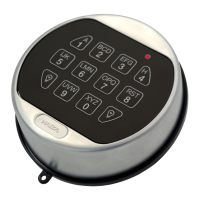
Dormakaba 2725-K6 Specifications

General IconGeneral
BrandDormakaba
Model2725-K6
CategoryLocks
LanguageEnglish

Related product manuals