TroubleshootingTechnical Manual
3308/2017 dormakaba c-lever compact
9 Troubleshooting
This section provides important information on rectifying product errors.
9.1 Error analysis
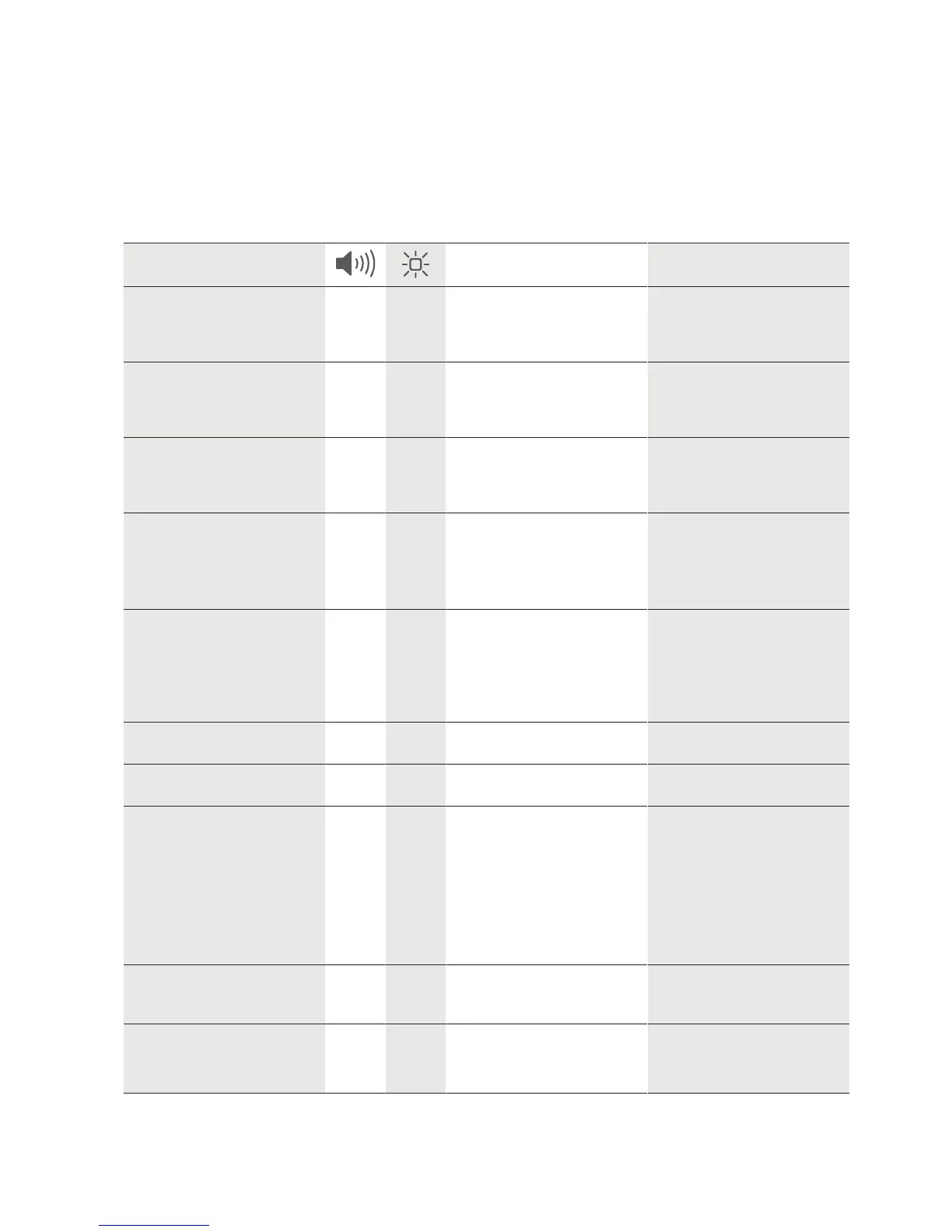
Symptoms Possible causes Measures
The use of a master or user
medium is confirmed via vari-
ous acoustic and/or visual
signals by the components
1 x very
short
9 x
flashes
red
– Battery “Low”
(V4 from FW 42.XX)
– Replace the batteries
Door does not open: author-
isation via an authorised user
medium is confirmed by
acoustic signals
1 x very
long
— – Alarm — Battery “Empty” – Replace the batteries
Door does not open: author-
isation by an authorised user
medium is confirmed via
acoustic and visual signals
4 x
short
4 x
short
red
– Medium not programmed
– Outside the time window
– Program medium
– Check time profiles
Door does not open: author-
isation by an authorised user
medium is confirmed via
acoustic and visual signals
1 x long
1 x
short
1 x long
1 x
short
green
– Internal clock in component
has failed
– Check programming and
clock time
User medium cannot be pro-
grammed
— — – 4000 media or groups
already programmed in the
e-module
– Defective medium
– Not the correct technology
– Contact customer service
Master medium cannot be
programmed
1 x
short
1 x red – E-module already pro-
grammed
– Execute INI reset for e-
module
Master medium is not detec-
ted
— — – No power supply – Provide power supply
Other errors 3 x
short
1 x
short
red
1 x
short
green
1 x
short
red
– Unintentional restart —
Door is always open: the
lever handle on the outside is
always engaged
— — – TimePro function activated – Deactivate TimePro func-
tion
Door is always open: Door
does not open or close at
programmed time
— — – Time is missing on e-mod-
ule or is not correctly set
– Incorrect programming
– Set time, check program-
ming







 To Next Page