ProgrammingTechnical Manual
2708/2017 dormakaba c-lever compact
5.10 INI reset with master media for whitelist and CardLink™
An INI reset can be used to restore the factory settings for the components.
NOTICE
All User media and master media as well as the traceback are deleted.
Components should not be in programming mode.
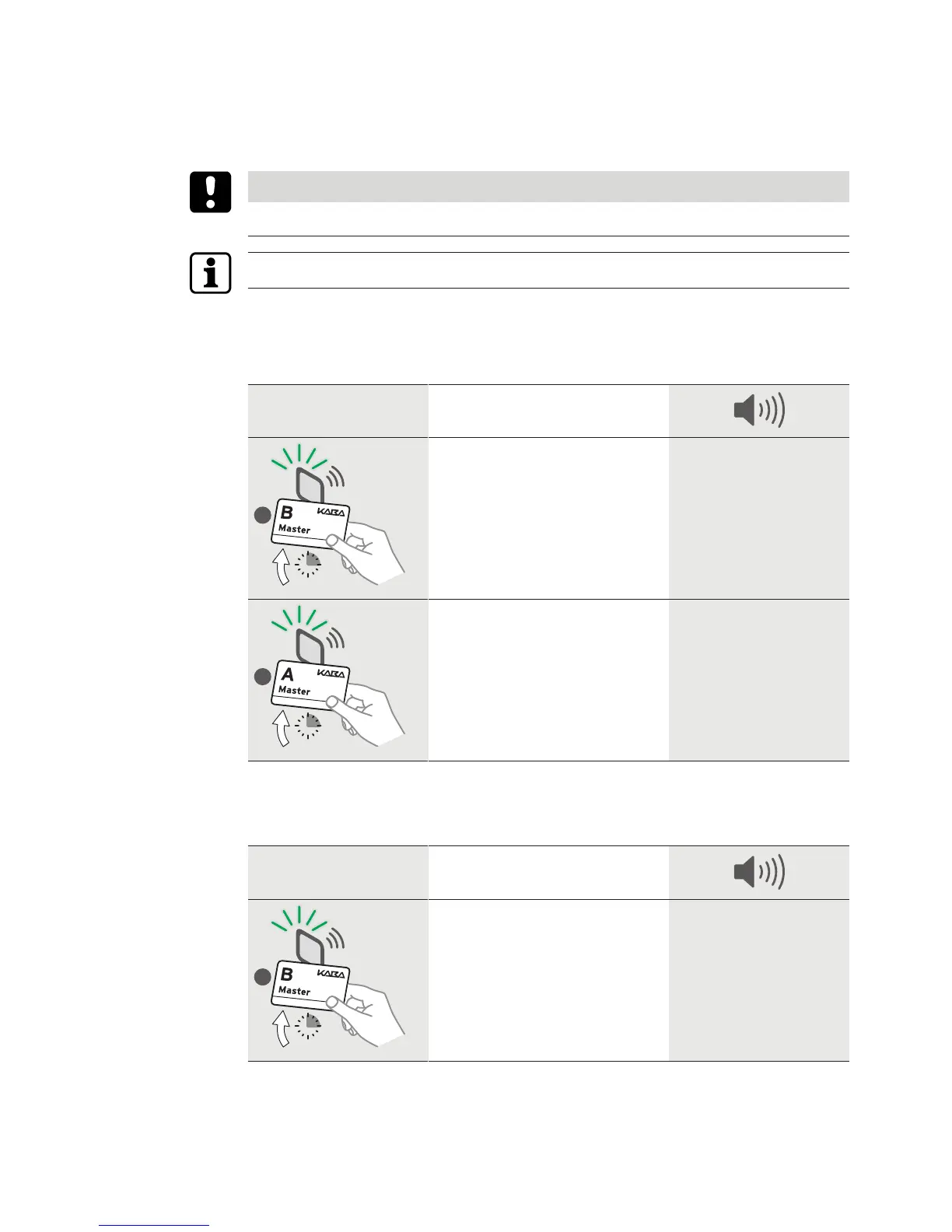
INI reset for whitelist
In this case, the light ring glows green for as long as the medium is located within the antenna
field and is read.
INI reset with master Action
Master A/B structure
Master A approx. 15 s hold in front
of the antenna. The INI reset will be
executed after 15 s.
After 10 s,
1 x long,
1 x short,
after 15 s,
2 x short
INI reset for CardLink
In this case, the light ring glows green for as long as the medium is located within the antenna
field and is read.
INI reset with master Action







 To Next Page