EasyManua.ls Logo

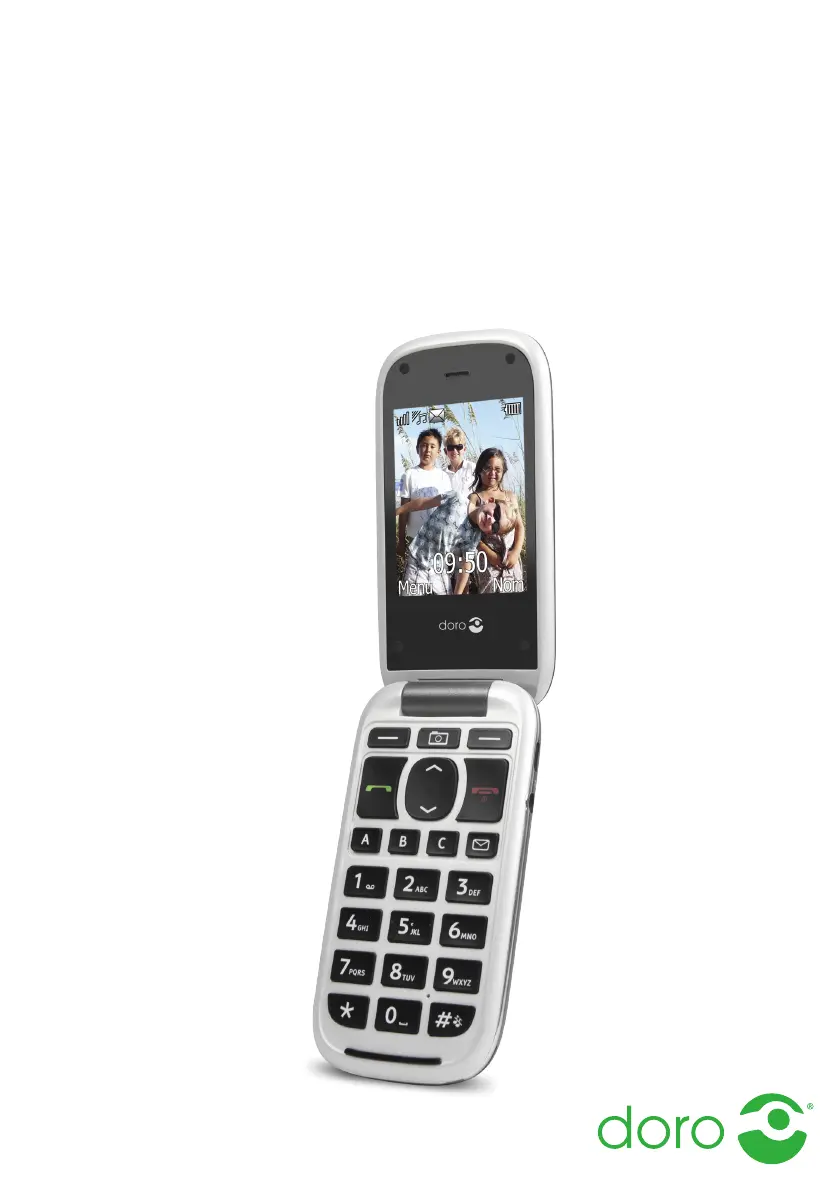
Doro PhoneEasy 613 - User Manual

Doro PhoneEasy 613
68 pages
Print Icon
To Next Page IconTo Next Page
Loading...
English
Doro PhoneEasy
®
613

Table of Contents

Questions and Answers

  • J
    john05Sep 12, 2025
    Why can't I send or receive Picture Messages / MMS with my Doro PhoneEasy 613 Cell Phone?
    • R
      rsinghSep 12, 2025
      If you are unable to send or receive Picture Messages / MMS with your Doro Cell Phone's SIM card, the MMS profile might not be set automatically. For some operators, the MMS profile has to be selected manually. Activate the correct profile to suit your SIM card or network used.
  • R
    Rebecca ThompsonSep 15, 2025
    Why can't I send or download MMS on my Doro Cell Phone?
    • S
      Stephanie FarmerSep 15, 2025
      If you're having trouble sending or downloading MMS on your Doro Cell Phone, it could be due to two reasons. First, the phone memory might be full, preventing MMS sending or downloading. Delete received MMS or select to set the default storage for MMS to be saved on a memory card (not included). Second, the incorrect MMS profile might be selected. For some service providers, the MMS profile has to be selected manually.

Doro PhoneEasy 613 Specifications

General IconGeneral
Dimensions108 x 46 x 12.5 mm
Weight120 g
SIMMini-SIM
TypeTFT, 256K colors
Memory Card SlotmicroSD, up to 32 GB
PhonebookYes
Call RecordsYes
Camera3.15 MP
LoudspeakerYes
3.5mm JackYes
WLANNo
RadioFM radio
USBmicroUSB 2.0
MessagingSMS, MMS, Email
GamesYes
JavaNo
Audio Jack3.5mm
Resolution240 x 320 pixels
Alert TypesVibration, MP3 ringtones
BatteryLi-Ion 800 mAh battery

Related product manuals