Service maintenance manual
2 Getting started
2.1. Find a place to operate the counter. Ensure the surface is flat and not exposed to
direct sunlight, there is no dust, dirt, steam or smoke, and there is no strong vibration. The mains
outlet should be near the product and easy to access. The place chosen in accordance with these
requirements will ensure proper counter operation and avoid damage to its parts and compo-
nents.
2.2. Ensure the AC mains voltage corresponds to rated voltage value of the counter.
2.3. If counter has been in the cold for a long time, keep it at room temperature for two
hours before switching the power on.
2.4. Ensure all the precautions specified in the relevant section of this manual are met.
2.5. Before operation install the supplied banknote guides on the counter – see “Opera-
tion manual”, sub-section “Preparing for Operation”.
2.6. Adjust the gap of banknote feeding device. The manufacturer presets the required
gap taking into account peculiarities of the currency to be counted. However, if the counter often
rejects valid banknotes and the reject report shows the reason “small interval in the tract”, “small
interval in the slider”, “long”, “twoness”, it is required to rotate the screw 1 (see Fig. 1) clock-
wise (“-” to decrease the gap). If the reject report shows “angle error”, “dimensions”, it is re-
quired to slightly rotate the screw 1 (see Fig. 1) counterclockwise (“+” to increase the gap).
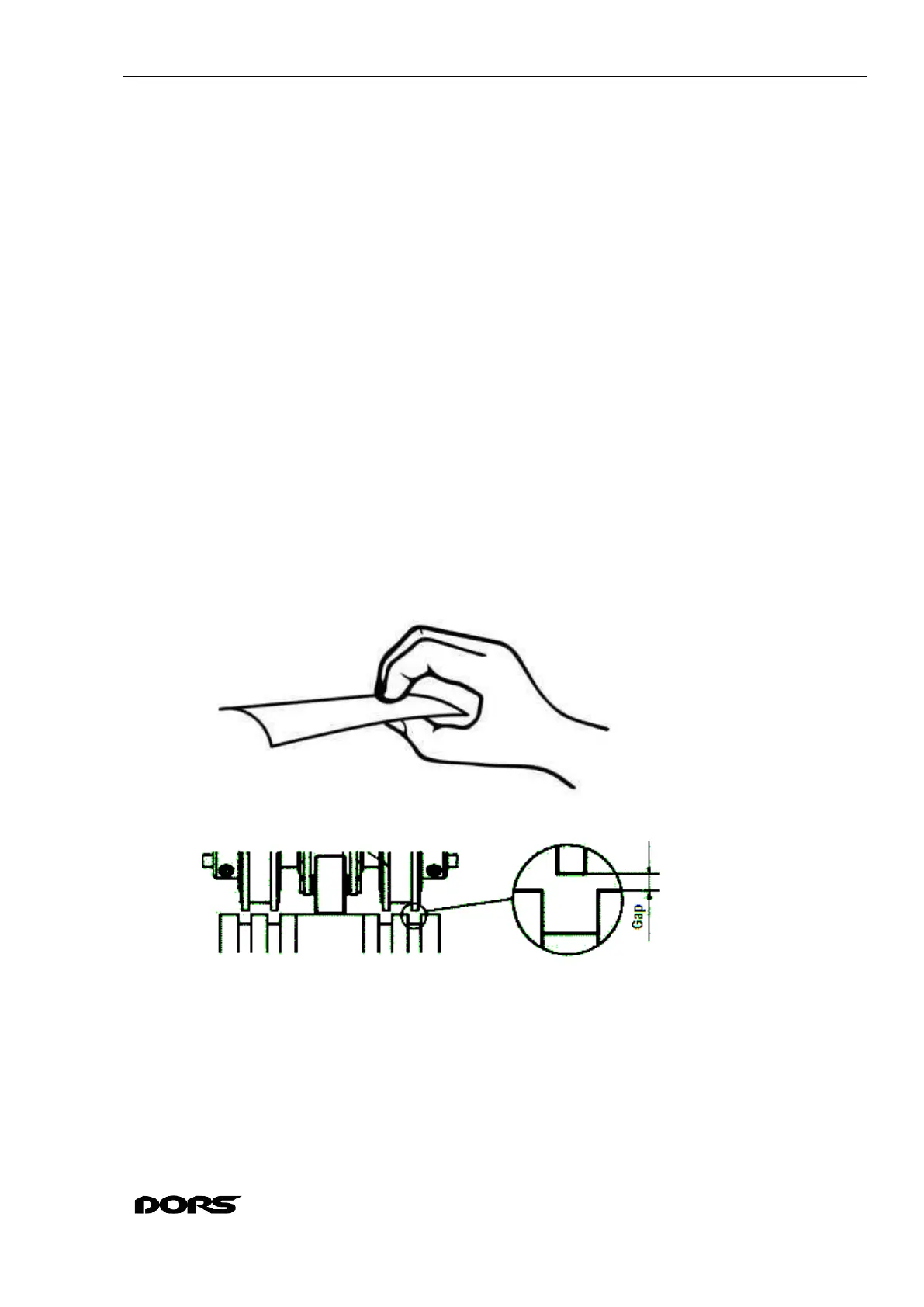
Use a good quality banknote (not a decrepit one). Take is as shown below:
Turn the rollers as shown below. There should be no cogs where the banknote will pass:
Insert the banknote short edge between the rollers as shown below:



 To Next Page