LMA-A REV.DOC 23/04/08
11
4.6 - CONTROL PANEL
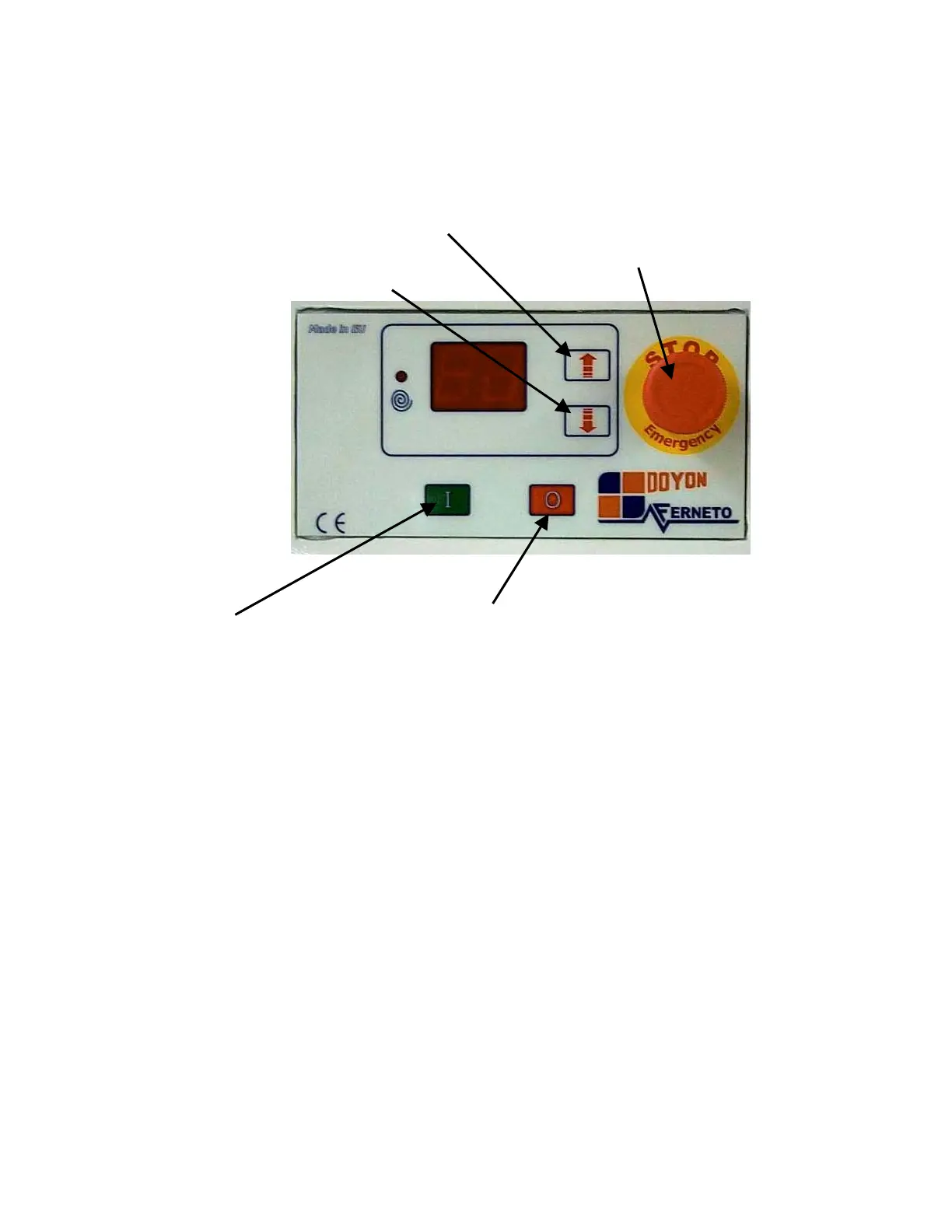
The fig.4.3 shows the control panel of the machine, with the following titles:
Fig. 4.3
Up speed button : Increases the speed.
Down speed button : Decreases the speed.
Emergency stop : If you push it, the machine will stop immediately.
Start 1 : By pressing this button, the machine will start.
Stop 0 : By pressing this button, the machine will stop.
Up speed button
Emergency stop
“Start I” “Stop 0”



 To Next Page