
EasyManua.ls Logo

DR PRO-XL - User Manual

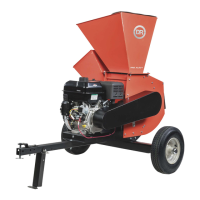
DR PRO-XL
52 pages
Print Icon
To Next Page IconTo Next Page
Loading...
CONTACT US AT www.DRpower.com 1
Serial No.
Order No.
DR Power Equipment
Toll-free phone: 1-800-DR-OWNER (376-9637)
Website: www.DRpower.com
Read and understand this manual and all instructions before operating the DR LEAF and LAWN VACUUM.
DR
®
LEAF & LAWN VACUUM
SAFETY & OPERATING INSTRUCTIONS
Models:
Premier
Pro
Pro-XL

Other manuals for DR PRO-XL

Questions and Answers

  • H
    Heather CombsSep 4, 2025
    Why DR PRO-XL engine lacks power or is not running smoothly?
    • D
      davidlynchSep 4, 2025
      If your DR Other engine lacks power or isn't running smoothly, ensure the choke lever is fully pushed into the RUN position and the throttle lever is all the way left to the FAST position. A dirty air filter can cause issues, so replace it following the instructions in the Engine Owner’s Manual. Also, a dirty or cracked spark plug can be the culprit, so replace it if necessary. Old gas or dirty engine oil may also be the problem, so change them if needed. Lastly, ensure the cooling fins are clean and free of debris.
  • R
    roseangelaSep 4, 2025
    What to do if shredding and chipping action seems too slow on DR Other?
    • L
      leekatrinaSep 5, 2025
      If the shredding and chipping action of your DR Other seems too slow, or the rotor is stalling, first, consider that the engine speed might be too slow, causing the belt to slip. Check the drive belts for looseness or damage, and tighten or replace them as necessary. Inspect the knife for dullness or damage, and sharpen or replace it. Finally, check for a clogged shredder screen and clean it if needed.
  • M
    Mrs. Nancy KingSep 5, 2025
    How to fix excessive vibration on DR PRO-XL machine?
    • K
      Kenneth CruzSep 5, 2025
      To address excessive vibration in your DR Other machine, start by checking the knife for dullness or damage and sharpen or replace it. The rotor might be out of balance, or the knife may not be seated properly on the rotor.
  • J
    Jennifer BrennanSep 6, 2025
    Why DR Other engine smokes?
    • E
      Erica ColemanSep 6, 2025
      If your DR Other engine is smoking, check the oil level and adjust as needed. You might be operating the machine on too great an incline, or you may be using the wrong type of oil—one that’s too light for the temperature. Also, a dirty air filter can cause smoking, so replace it following the instructions in the Engine Owner’s Manual. Ensure the cooling fins are clean and free of debris.
  • J
    jeffreycainSep 6, 2025
    Why DR Other belt frays or falls off frequently?
    • C
      Christina LongSep 6, 2025
      If the belt on your DR Other frays or falls off frequently, the drive pulley or clutch groove may be nicked. Alternatively, the drive belts may be stretched; in this case, readjust or replace them.
  • C
    Carolyn CummingsSep 7, 2025
    What to do if DR Other clutch overheats?
    • Z
      Zachary VazquezSep 7, 2025
      If the clutch overheats, the belt burns, or the rotor won’t turn on your DR Other, immediately stop the engine and remove the spark plug wire. Turn the rotor with a wooden stick to ensure it turns freely. Check the drive belt tension. Remove any built-up debris from the DR PRO-XL CHIPPER-SHREDDER Hopper Inlet(s) and Discharge Chute.
  • D
    David GonzalezSep 8, 2025
    Why log vibrates excessively and 'hammers' my hands when chipping with DR Other?
    • C
      Christopher Young Jr.Sep 8, 2025
      If, when chipping, the log vibrates excessively and 'hammers' your hands using DR Other, the knife may be dull; sharpen or replace it. Also, the gap between the knife and wear plate might be too great; adjust the gap.
  • E
    Eric BergerSep 8, 2025
    What to do if DR PRO-XL chipper knife is hitting the wear plate?
    • C
      Cory HoldenSep 8, 2025
      If the chipper knife is hitting the wear plate on your DR Other, the gap between the knife and the wear plate is likely set incorrectly; adjust the knife to wear plate gap.

Summary

General Safety Rules

Labels

Copies of safety and information labels on the equipment for proper and safe use.

Safety Warnings and Precautions

Important safety warnings, cautions, and precautions for safe operation.

Setting Up the DR LEAF and LAWN VACUUM

Controls and Features Overview

Identifies and explains the various controls and features of the DR Leaf and Lawn Vacuum.

Specifications and Parts Identification

Lists model specifications, parts supplied, and hardware identification.

Wheel and Gas Spring Installation

Procedures for installing wheels and gas springs.

Power Unit, Collector, and Enclosure Assembly

Steps for assembling power unit, collector, enclosure, and related components.

Canvas, Hinge, and Hose Installation

Instructions for canvas width, hinges, hoses, and final assembly steps.

Tractor Connection and Setup

Connecting to tractor, deck adapter, inlet hose, fluids, and battery.

Operating the DR LEAF AND LAWN VACUUM

Starting and Stopping the Engine

Procedures for starting and stopping the engine manually or via electric start.

Operating Safety and Towing

Safety warnings and precautions during operation and towing.

Slopes, Terrain, and Dumping Procedures

Precautions for slopes, terrain, and procedures for dumping the collector.

Converting to Cart Trailer Mode

Instructions for converting the unit to cart trailer mode for transport.

Collapsing Collector for Storage

Instructions for collapsing the collector for compact storage.

Maintaining the DR LEAF and LAWN VACUUM

Regular Maintenance Checklist

Checklist of maintenance tasks and their recommended intervals.

Lubrication and Component Replacement

Instructions for lubrication, wheel replacement, battery care, and charging.

Troubleshooting

Troubleshooting Table

Common problems and their possible causes and solutions.

Parts Lists and Schematic Diagrams

Assembly Parts Lists and Schematics

Lists and diagrams for frame, power unit, collector, and hose assemblies.

2-Year Limited Warranty

Terms and Conditions

Details of the warranty terms, conditions, limitations, and exclusions.

Daily Checklist and Storage

Daily Checklist

Recommended checklist for daily maintenance before use.

End of Season and Storage Procedures

Procedures for preparing the machine for storage.

DR PRO-XL Specifications

General IconGeneral
BrandDR
ModelPRO-XL
CategoryOther
LanguageEnglish