©
2014 Draeger
Medic
al
,
Inc
.
INFINITY DELTA / KAPPA QUICK REFERENCE GUIDE |29
THIS GUIDE IS INTENDED
FOR REFERENCE
ONLY. REFER
TO
INSTRUCTIONS FOR USE
MANUAL.ADDITIONAL INFORMATION
Microstream etCO2 Pod
1. Attach the connecting cable from the Pod to the Aux port on
the monitor.
2. Attach the appropriate sampling line to the Pod.
3. Place cannula on patient or breathing tube adapter inline.
4. etCO2 waveform and parameter box appear on monitor.
5. Use Rotary knob to highlight etCO2 parameter box, click. If
needed adjust Scale, Sweep Speed and Averaging.
o After connecting the CO2 sampling line, check that CO2 re-
lated information appears on the monitor display.
o Replace the sampling line according to hospital protocol or
when a blockage is indicated by the device. Excessive pa-
tient secretions or a build-up of liquids in the airway tubing
may occlude the sampling line, requiring more frequent re-
placement.
o Recalibration of the pod is completed yearly by Biomedical
Technician.
ETCO2 Module and Pod
The etCO2 module and pod acquire signals from a Capnostat® sen-
sor. For mainstream monitoring, the sensor fits over a specially de-
signed adapter in the intubated patient’s airway or breathing cir-
cuit. For sidestream detection, a sampling pump delivers signals
from the adapter to the module or pod.
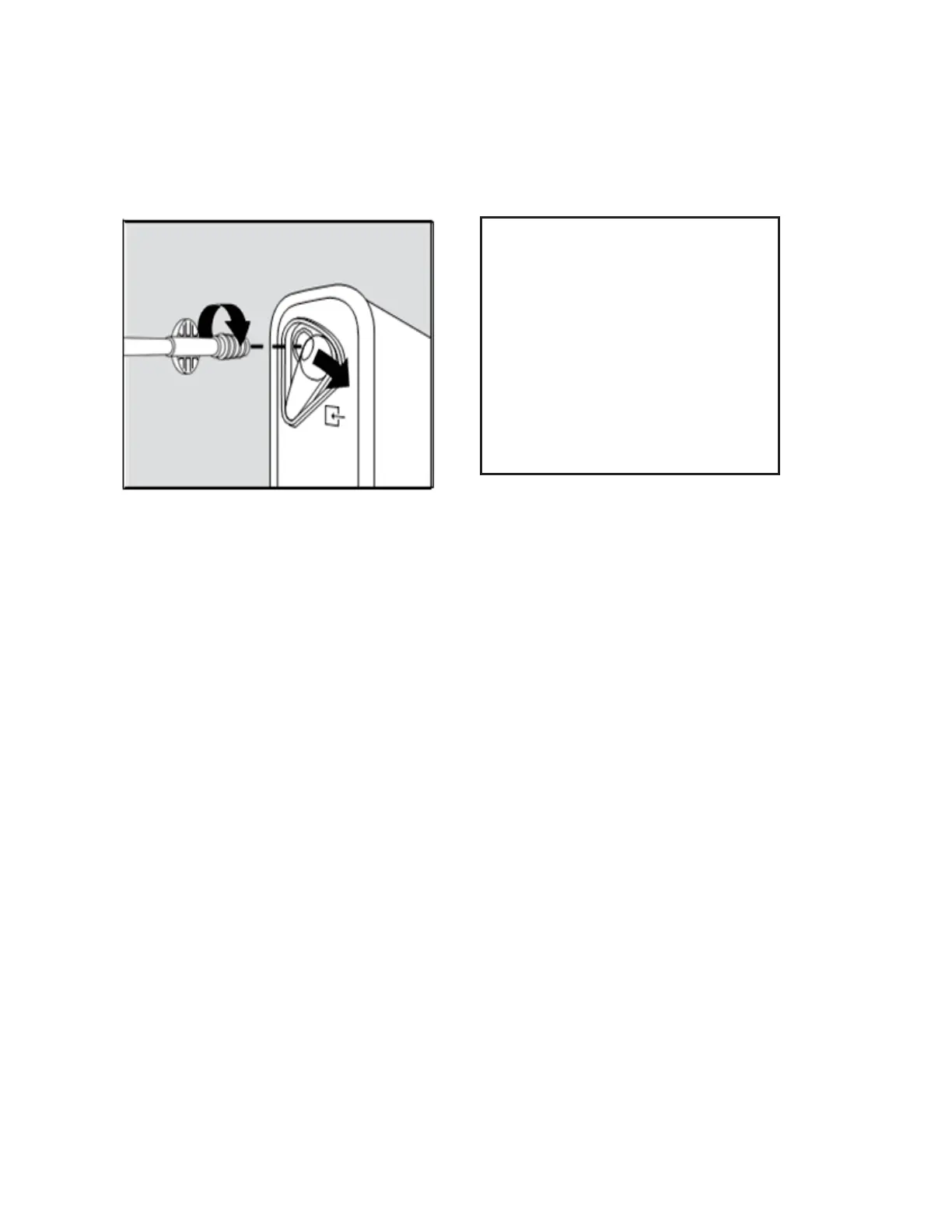
Move cover of CO2 port to
side; insert the sampling
line connecter into CO2
port; then turn connecter
clockwise to secure in
place. This ensures the
no gas leak and helps en-
sure that measurement.












 To Next Page