©
2015 Draeger
Medic
al
,
Inc
.
INFINITY M540 QUICK REFERENCE GUIDE |13
THIS GUIDE IS INTENDED
FOR REFERENCE
ONLY. REFER
TO
INSTRUCTIONS FOR USE
MANUAL.ADDITIONAL INFORMATION
Audio & Visual Alarms and Silencing
TO PAUSE AUDIO ALARMS FOR 2 MINUTES
1. Press Audio Pause key.
Note: Quiet Mode is Activated – If a new alarm condition with a priority
higher than the currently paused alarm occurs, a truncated alarm tone
sounds. In addition, the alarm is represented by visual alarm signals corre-
sponding to the alarm priority. If the new alarm is of lower priority than the
paused alarm, the new alarm condition is only represented by a visual alarm
signal. No acoustic alarm tones sound.
If Quiet Mode is Deactivated - Any new alarm condition breaks through the
Audio Pause period with full acoustic and visual alarm annunciation.
TO PRE-SILENCE ALARMS FOR 2 MINUTES
Allows one to audio pause in advance any potential alarm condi-
tions before they occur. If multiple alarm conditions arise during an
active pre-silence period, the M540 triggers a single alarm tone
sequence for the highest-grade alarm event.
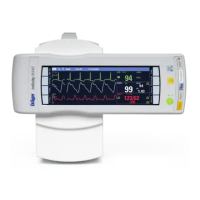
1. Press the yellow key on the M540
o Any alarm conditions are reported visually by a
corresponding alarm message and a blinking
parameter box.
o A single alarm tone sequence is generated for the first
occurrence of an alarm condition of low, medium or high
priority.
o The alarm message Audio paused appears in the far right
field of the header bar along with a countdown timer and
the following symbol:
Note: Pre-Silence functions only if Quiet Mode is activated.
TO ADJUST ALARM VOLUME
1. Press Alarms function key.
2. Touch Alarm Volume and change to desired %.



 To Next Page