©
2015 Draeger
Medic
al
,
Inc
.
INFINITY M540 QUICK REFERENCE GUIDE |8
THIS GUIDE IS INTENDED
FOR REFERENCE
ONLY. REFER
TO
INSTRUCTIONS FOR USE
MANUAL.ADDITIONAL INFORMATION
Docking and Transport, Power & Fre-
quently Used Keys
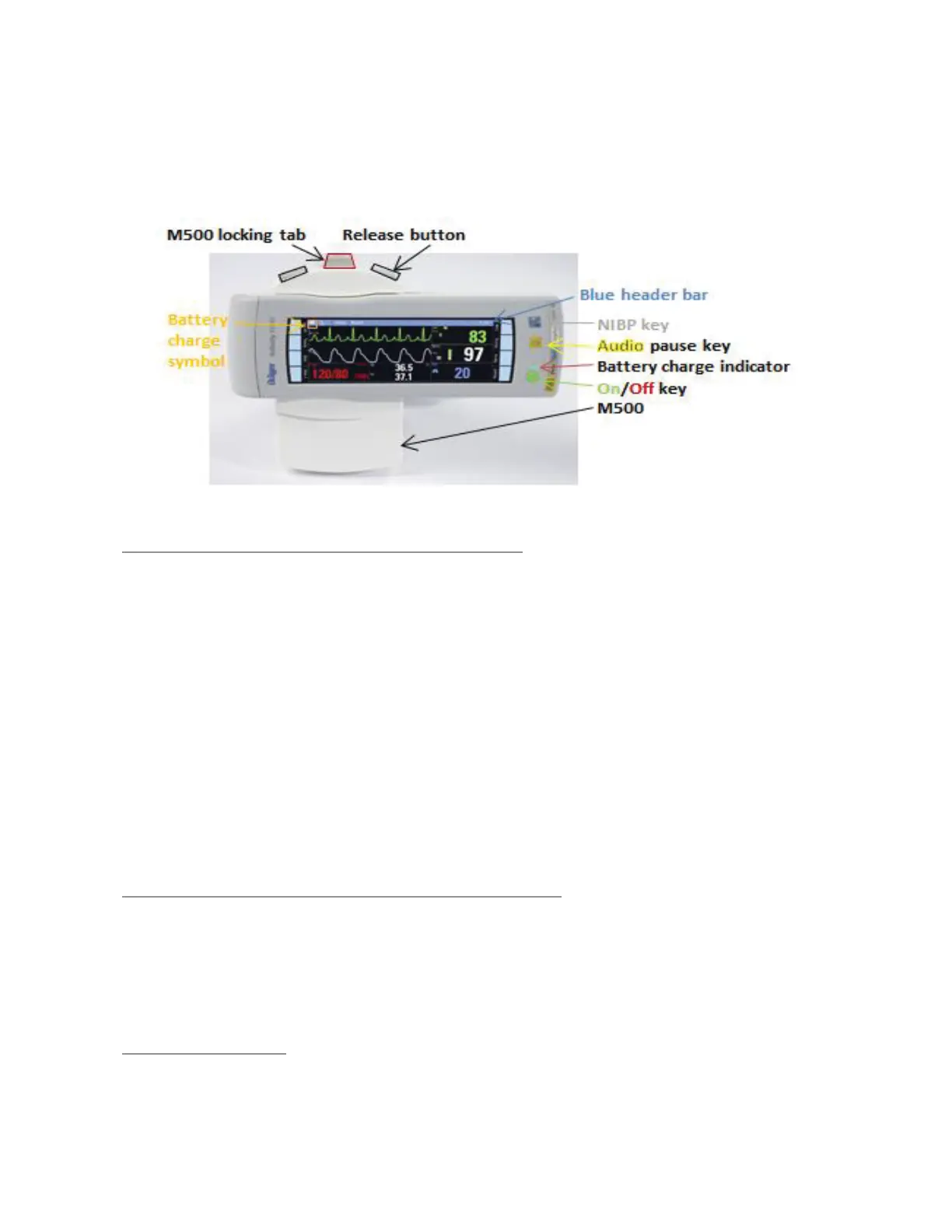
M500 DOCKING STATION WITH M540
- M500 secures and powers the M540 monitor.
- M500 stores default profile settings that can be adopted
upon docking.
- M500 connects M540 to Infinity network that may include an
Infinity Central Station (centralized alarm management and
data retrieval station for up to 32 patients), a network record-
er, and a network printer.
- M540 facilitates transport of patient when undocked, by main-
taining all patient connections and alarm settings.
TO UNDOCK M540 (release for transport)
1. Push locking tab toward the back of M500
2. While holding the M540 firmly with one hand press one of the
release buttons on M500 and remove from M500
TO DOCK M540
1. Align curved portion of M540 with curved portion of M500
2. Press M540 into M500 until it clicks in place.
3. Push the locking tab toward the front of M500.












 To Next Page