©
2015 Draeger
Medic
al
,
Inc
.
INFINITY M540 QUICK REFERENCE GUIDE |16
THIS GUIDE IS INTENDED
FOR REFERENCE
ONLY. REFER
TO
INSTRUCTIONS FOR USE
MANUAL.ADDITIONAL INFORMATION
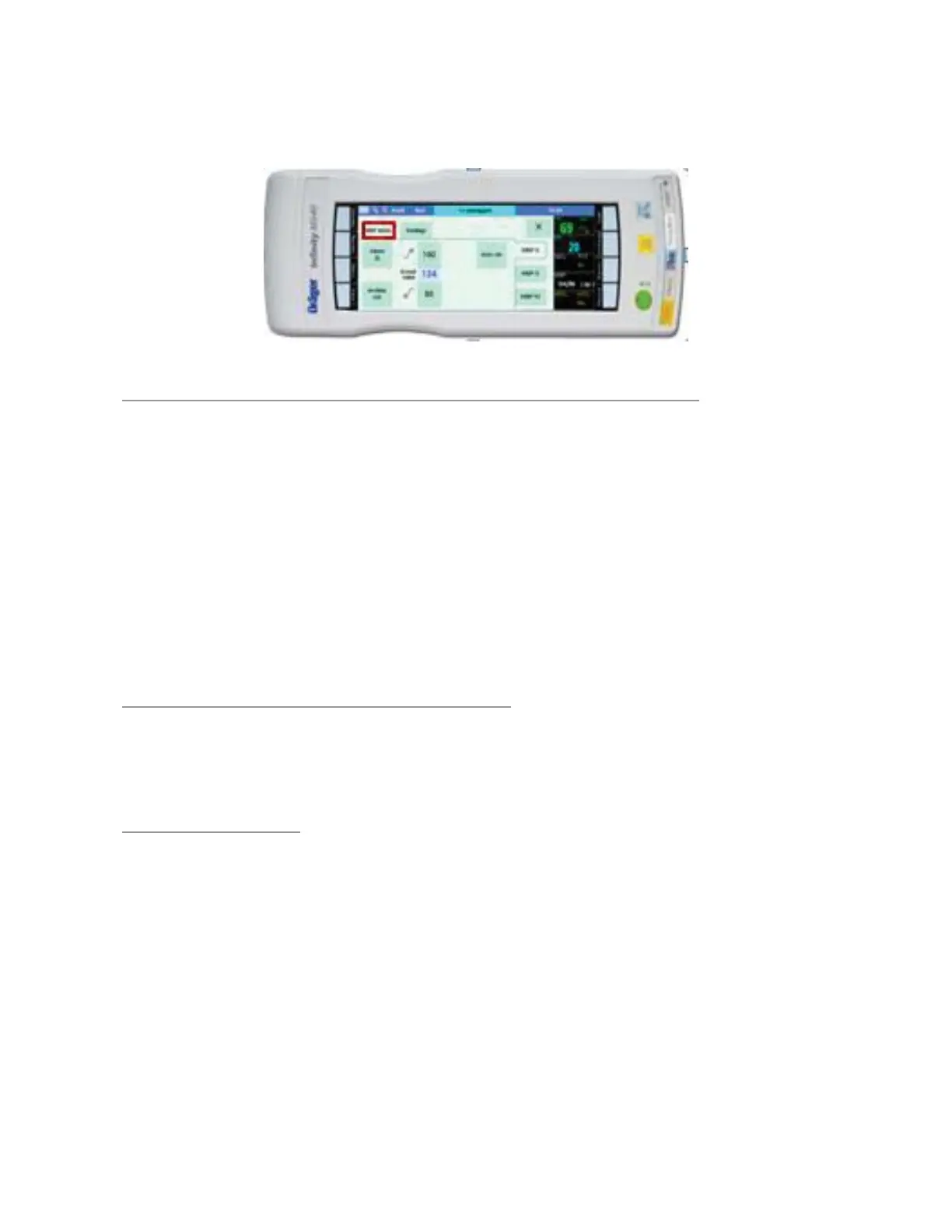
Setting Parameter Alarm Limits
TO CONFIGURE ALARM LIMITS FOR EACH PARAMETER
1. Touch a parameter box to access the parameter’s dialog win-
dow (i.e., HR, NIBP).
2. The parameter’s limits tab is viewable
3. Touch the Upper or Lower alarm limit value.
4. Touch the Up or Down arrow to change the alarm setting.
5. Touch OK.
Note: For each parameter there may be more tabs along right side of dialog
window for setting more limits (i.e. PVC’s, Systolic, Diastolic, etc.).
TO TURN A PARAMETER ALARM OFF
1. Touch the parameter box desired.
2. Press the Alarm On box and it turns Off
ALARM ARCHIVE
Determines what happens in response to an Alarm.
1. Off – no event is stored and no recording is generated.
2. Record – Stores the event for later review
3. Store – stores the event for later review in Event recall.
4. Str/Rec – generates a timed recording and stores the event for
later review.



 To Next Page