Invasive blood pressure (IBP)
306 Instructions for use – Infinity Acute Care System – Monitoring Applications VG6.n
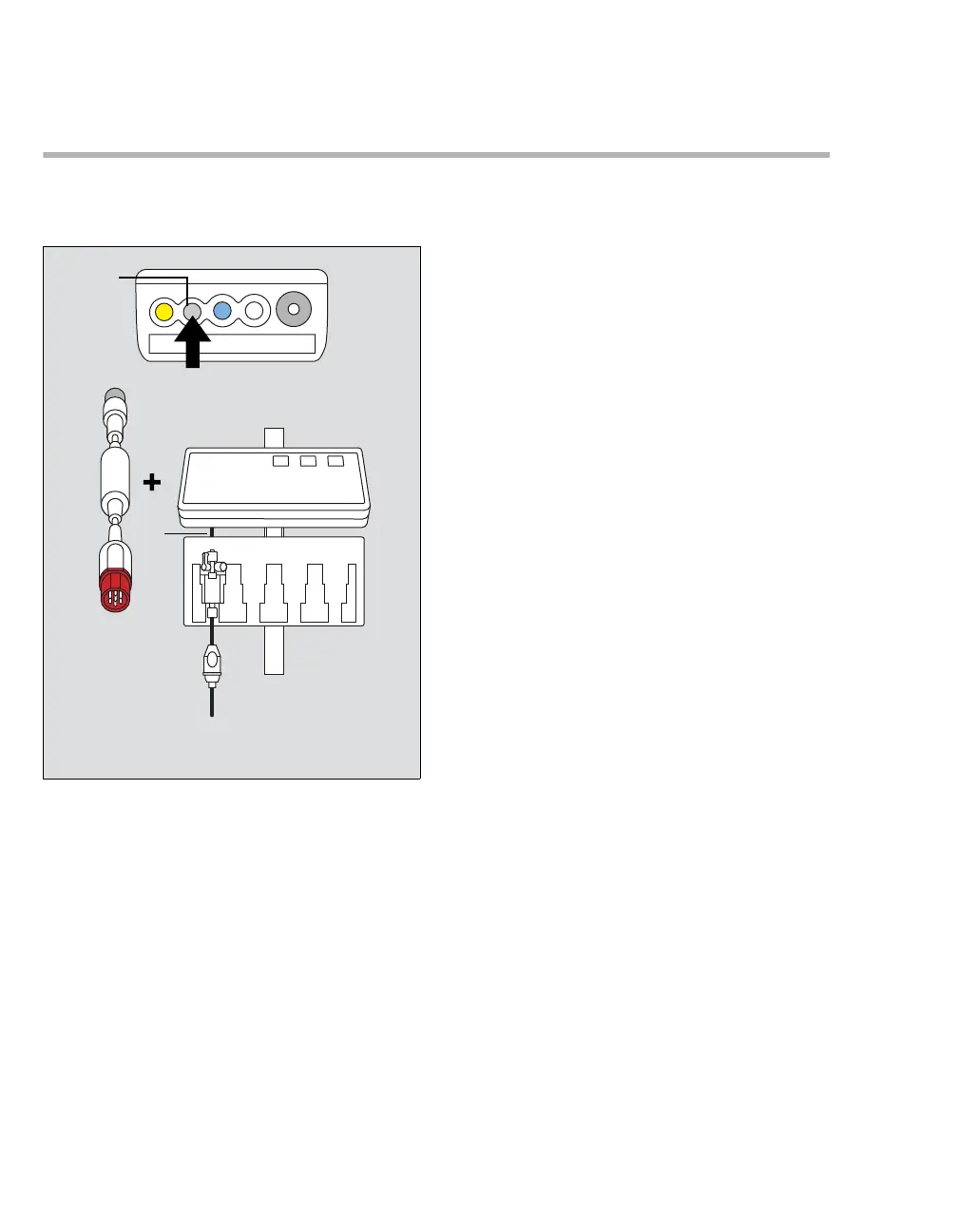
Connecting the MPod – QuadHemo
The MPod – QuadHemo connects directly to the
M540.
A Hemodynamic port on the M540
B MPod – QuadHemo
C Red connector of the pod connection cable
D Transducer slot
E Gray connector of the pod connection cable
F Transducer cable
G Transducer adapter cable
To connect the MPod – QuadHemo
1 Connect one end of connection cable (C) to the
port located along the right side of the MPod –
QuadHemo (B).
2 Connect the other end of the connection cable
(E) to the gray hemodynamic port of the M540
(A).
3 Insert the transducers into the transducer slots
(D).
4 Connect the transducer cables (F) to the
transducer adapter cable (G).
The transducer adapter cables are permanently
fastened to the back of the MPod – QuadHemo.
343












 To Next Page