Instructions for use – Infinity Acute Care System – Monitoring Applications VG6.n 457
System configuration
To modify a custom view
1 Access the View editor page (see page 456).
2 Select the arrow button next to the View field
(A) and select the view you wish to modify.
A view label that appears in italic font and is
followed by an asterisk identifies a view that has
been modified but whose changes have not
been saved yet.
3 Select the arrow button next to the Template
field (B) to select a layout template (D) which
consists of various panels that illustrate what
the basic layout of the screen will look like.
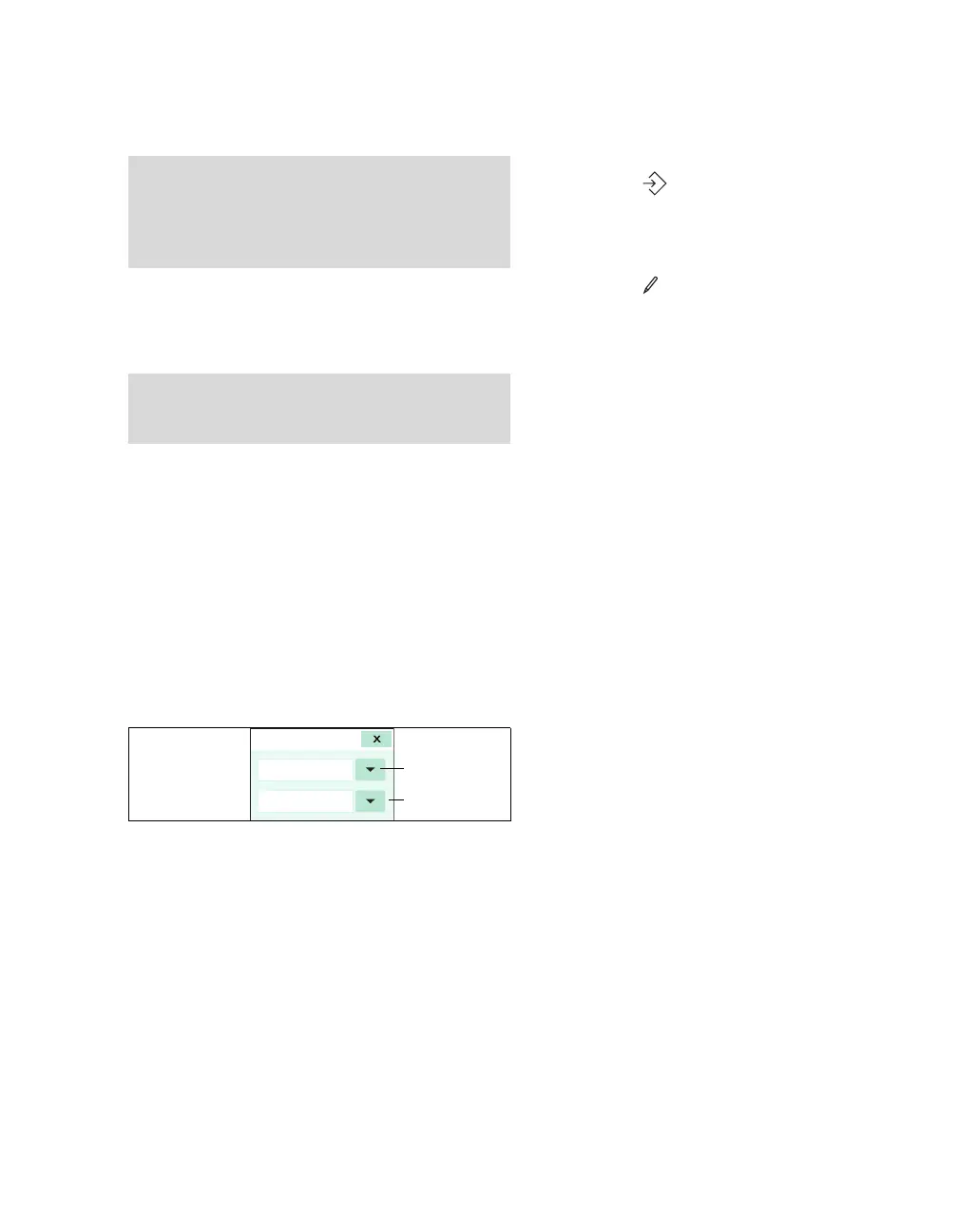
4 Touch a panel of the selected layout template to
select a content. The following Content popup
appears.
5 Select the top arrow button (G) in the Content
popup to assign one of the following contents to
the selected panel:
– Parameters
– Waveforms
– Applications
6 Select the bottom arrow button (H) in the
Content popup to select additional settings. For
example, if you chose Waveforms in step 4,
you can select the ECG lead for display.
7 Repeat steps 4 and 5 for all panels in the
selected layout template.
8 Select the symbol (G) next to Save View
field (see diagram on page 456) to save the
changes under the existing name.
or
Select the symbol next to the View field (A)
to access a keyboard for renaming the current
view.
To assign a view to profiles
You can assign a view to a profile after you modify
a view or at any time after that.
1 Access the View editor page (see page 456).
2 Select the arrow button next to the View field
(A) to choose the view that you wish to assign
to profiles (if not already selected).
3 Select the Profiles... button (F) to display the
Add to profile popup.
4 Select either the Draeger views or Custom
views button under the Adult, Pediatric or
Neonate column. An additional popup appears
which lists the profiles stored under the selected
category.
5 Select as many profiles as you wish to assign
the currently selected view to.
6 Select OK.
NOTE
Although the Cockpit can display many parame-
ters and waveforms, use discretion when building
custom Views to make sure clinically relevant in-
formation is not obscured or unreadable.
NOTE
You can only change custom Views. Dräger views
cannot be changed.
053












 To Next Page