3
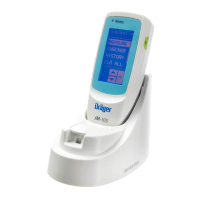
Configure the Jaundice Meter JM-105
1. Press the power switch on.
2. If you want to change your file storage option, configure the device as
desired by selecting CONFIG > MEMORY > OK > your desired setting
(OFF, MEM ONLY, or LINK ON) > OK. If not, go to step 4.
3. Press the MENU button to exit the CONFIG screen.
4. Determine whether or not you want to average your measurements
and how many measurements you want to take. Configure the device
as desired by selecting CONFIG > AVERAGE > OK > your desired
setting (SINGLE through 5TIMES) > OK.













 To Next Page

