Vigor2910 Series User’s Guide
160
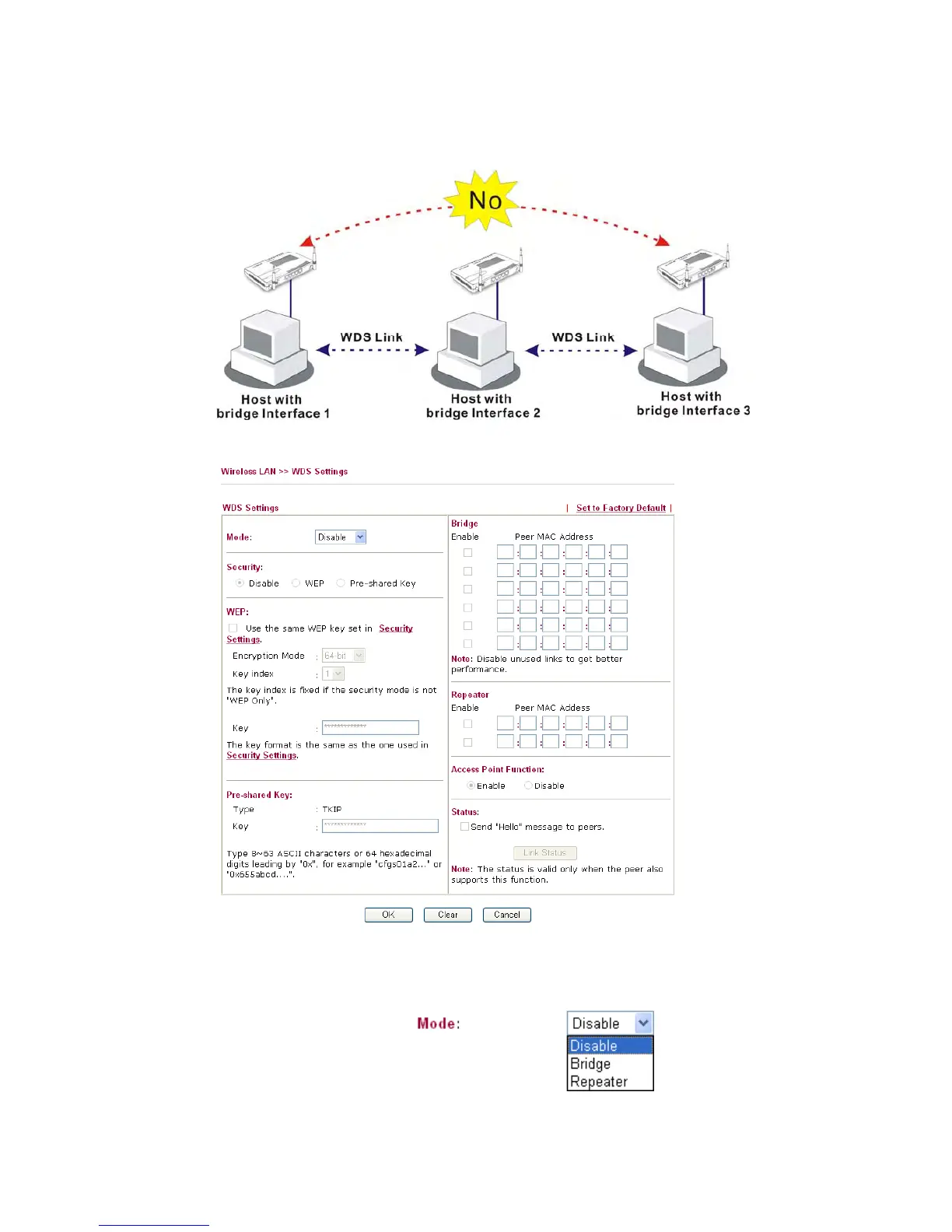
In the following examples, hosts connected to Bridge 1 or 3 can communicate with hosts
connected to Bridge 2 through WDS links. However, hosts connected to Bridge 1 CANNOT
communicate with hosts connected to Bridge 3 through Bridge 2.
Click WDS from Wireless LAN menu. The following page will be shown.
Mode Choose the mode for WDS setting. Disable mode will not
invoke any WDS setting. Bridge mode is designed to fulfill
the first type of application. Repeater mode is for the second
one.



 To Next Page