Vigor2910 Series User’s Guide
226
5
5
.
.
4
4
C
C
h
h
e
e
c
c
k
k
i
i
n
n
g
g
I
I
f
f
t
t
h
h
e
e
I
I
S
S
P
P
S
S
e
e
t
t
t
t
i
i
n
n
g
g
s
s
a
a
r
r
e
e
O
O
K
K
o
o
r
r
N
N
o
o
t
t
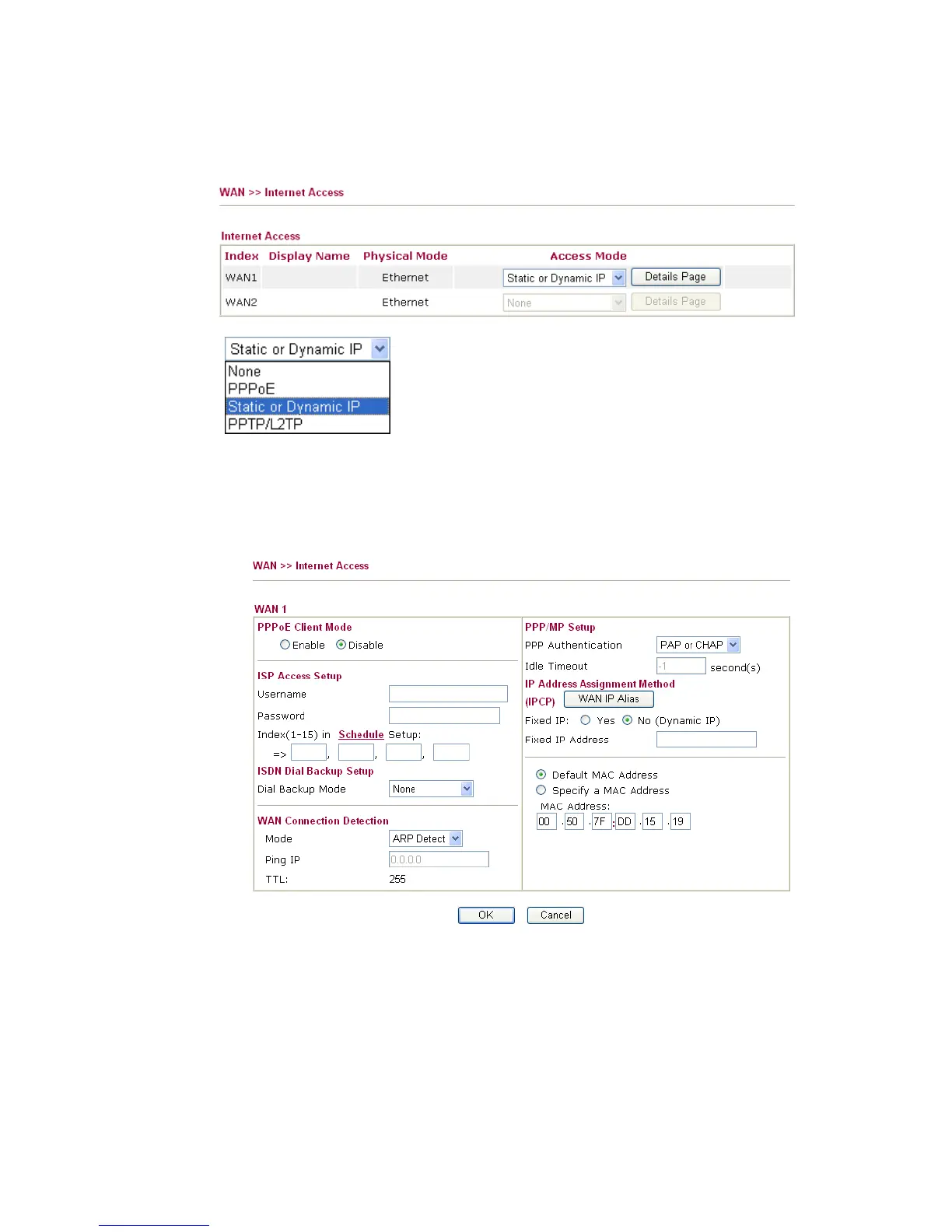
Click WAN>> Internet Access and then check whether the ISP settings are set correctly.
F
F
o
o
r
r
P
P
P
P
P
P
o
o
E
E
U
U
s
s
e
e
r
r
s
s
1. Check if the Enable option is selected.
2. Check if Username and Password are entered with correct values that you got from
your ISP.
F
F
o
o
r
r
S
S
t
t
a
a
t
t
i
i
c
c
/
/
D
D
y
y
n
n
a
a
m
m
i
i
c
c
I
I
P
P
U
U
s
s
e
e
r
r
s
s
1. Check if the Enable option is selected.
2. Check if IP address, Subnet Mask and Gateway are entered with correct values that
you got from your ISP.



 To Next Page