Vigor2910 Series User’s Guide
215
4
4
.
.
9
9
V
V
P
P
N
N
T
T
R
R
U
U
N
N
K
K
A
A
p
p
p
p
l
l
i
i
c
c
a
a
t
t
i
i
o
o
n
n
You can change, disable or delete VPN TRUNK backup profile(s). Yet, the relational web
pages in LAN-to-LAN also will be changed slightly. Please refer to the following
expaination.
Change the name of VPN TRUNK profile(s)
1. Click any one of the items from Backup profile list.
2. Type a new name in the field of Profile Name.
3. Click Edit.
Disable VPN TRUNK profile(s)
1. Click any one of the items from Backup profile list.
2. Click Disable (as current status).
3. Click Edit.
4. The selected profile will be disabled.
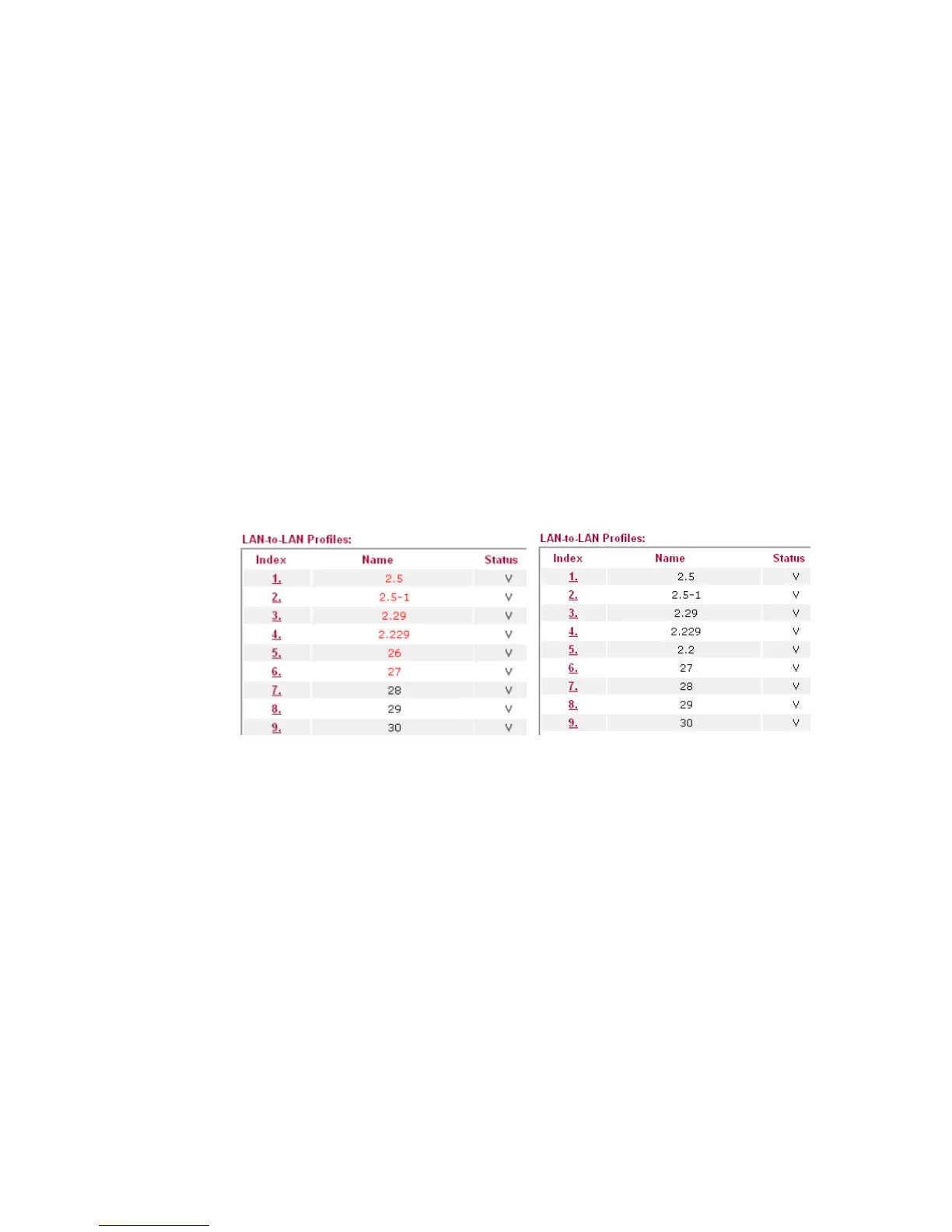
5. To check if the profile has been disabled or not, open LAN-to-LAN. The name with red
color means it has joined VPN TRUNK profile; the name with black color means it does
not join VPN TRUNK profile or is disabled in VPN TRUNK profile.
Delete VPN TRUNK profile(s)
1. Click any one of the items from Backup profile list.
2. Click Delete.
3. Click Edit.
4. The selected profile will be deleted.



 To Next Page