Vigor2910 Series User’s Guide
217
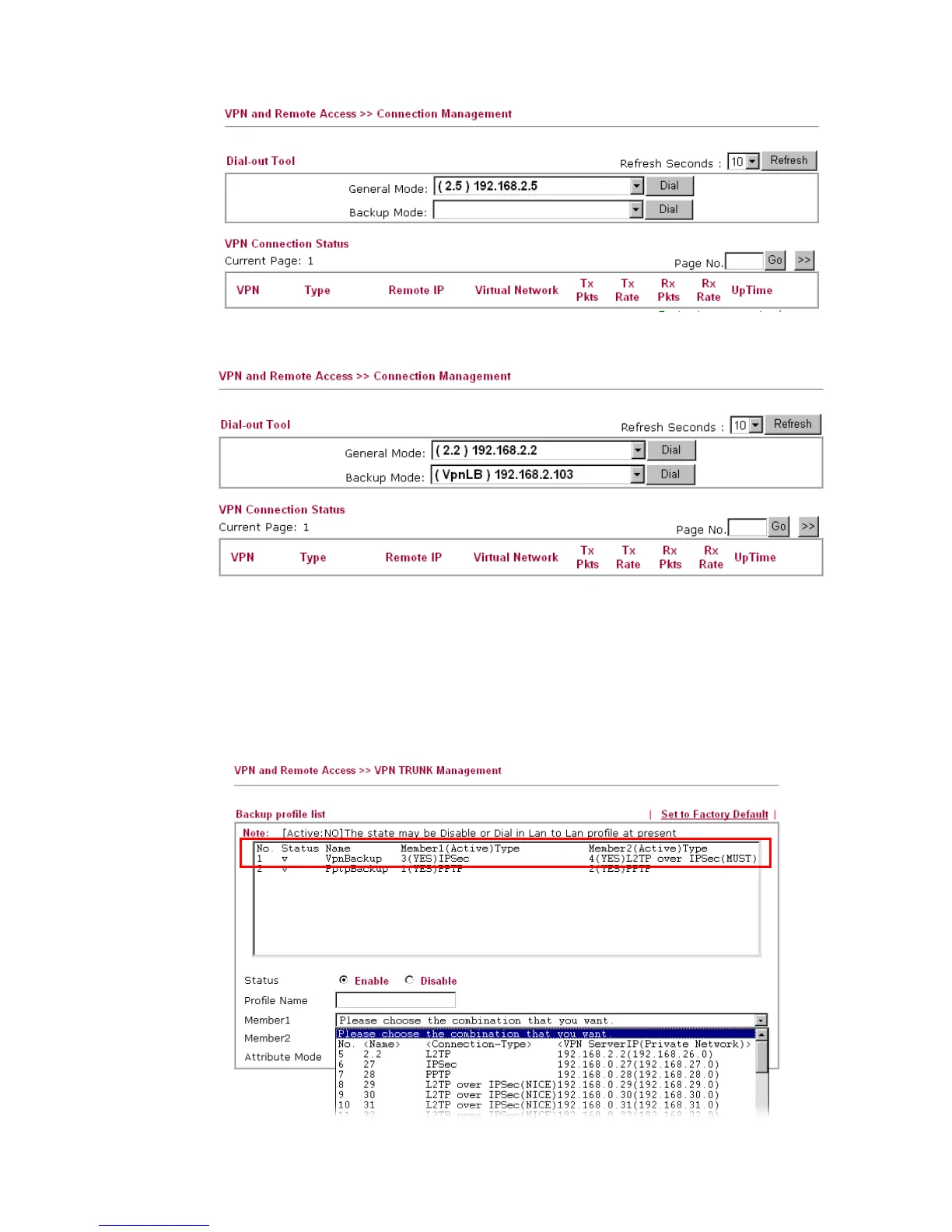
After adding a new VPN TRUNK profile, it will be listed in Backup Mode drop-down list
for you to choose for dialing.
Examples for VPN TRUNK Backup Profile
Here provides two situations that you can take advantages of VPN TRUNK backup profile
mechanism.
Example 1: A VPN TRUNK profile with member 1 (IPSec type) and Member 2(L2TP over
IPSec) has been created for Router A for connecting with Router B. In general, Router A
connects to Router B through Member 1 VPN tunnel (with IPSec type).



 To Next Page