Vigor2910 Series User’s Guide
29
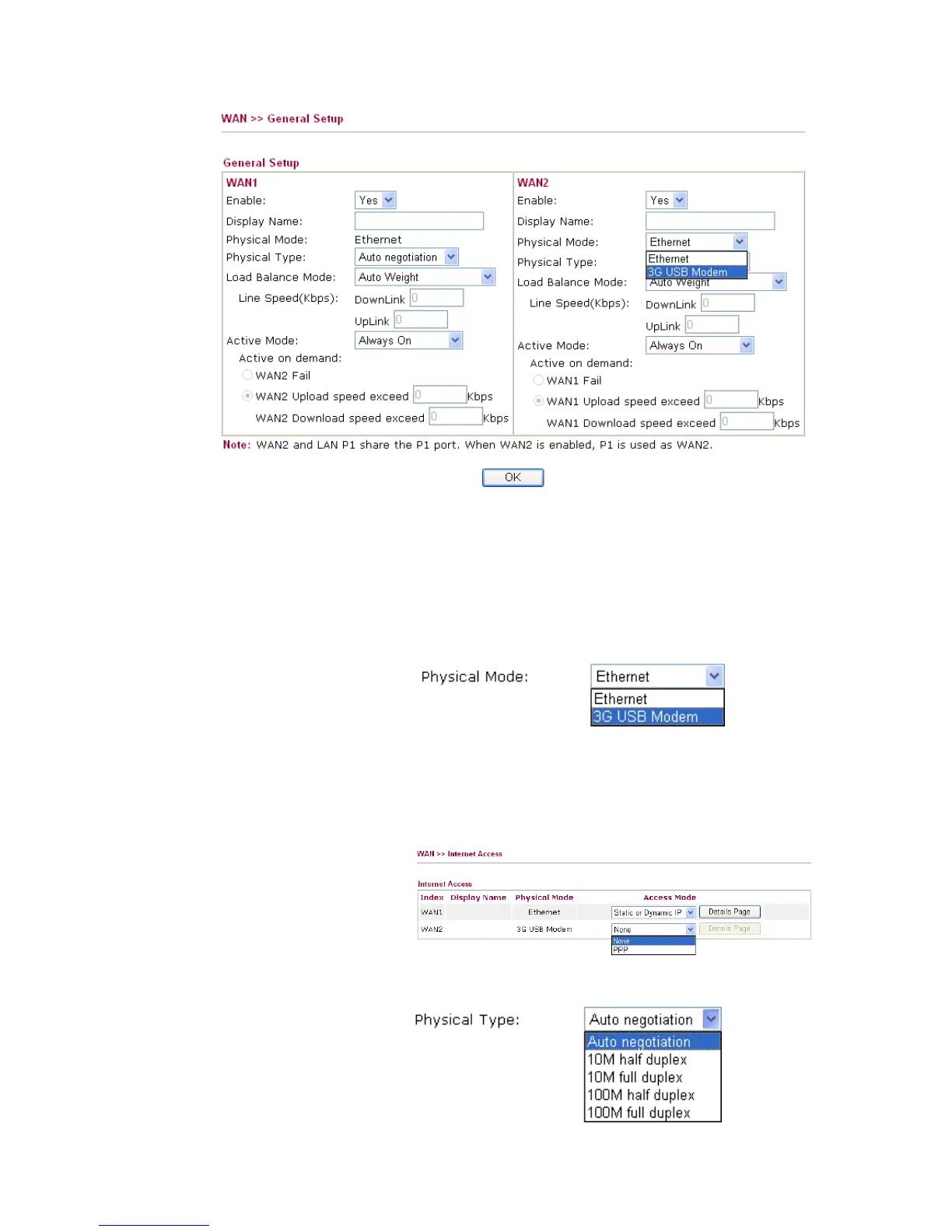
Enable Choose Yes to invoke the settings for this WAN interface.
Choose No to disable the settings for this WAN interface.
Display Name Type the description for the WAN1/WAN2 interface.
Physical Mode For WAN1, the physical connection is done and fixed through
Ethernet port; yet the physical connection for WAN2 is done
through an Ethernet port (P1) or USB port. You cannot
change it.
To use 3G network connection through 3G USB Modem,
choose 3G USB Modem as the physical mode in WAN2.
Next, go to WAN>> Internet Access. 3G USB Modem is
available for WAN2. You can choose PPP as the access mode
and click Details Page for further configuration.
Physical Type You can change the physical type for WAN2 or choose Auto
negotiation for determined by the system.



 To Next Page