Vigor300B Series User’s Guide
100
Item Description
IM Block
Display the IM object profile selected for such application
profile.
P2P Block
Display the P2P object profile selected for such application
profile.
Protocol Block
Display the protocol object profile selected for such
application profile.
H
H
o
o
w
w
t
t
o
o
c
c
r
r
e
e
a
a
t
t
e
e
a
a
n
n
A
A
p
p
p
p
l
l
i
i
c
c
a
a
t
t
i
i
o
o
n
n
F
F
i
i
l
l
t
t
e
e
r
r
p
p
r
r
o
o
f
f
i
i
l
l
e
e
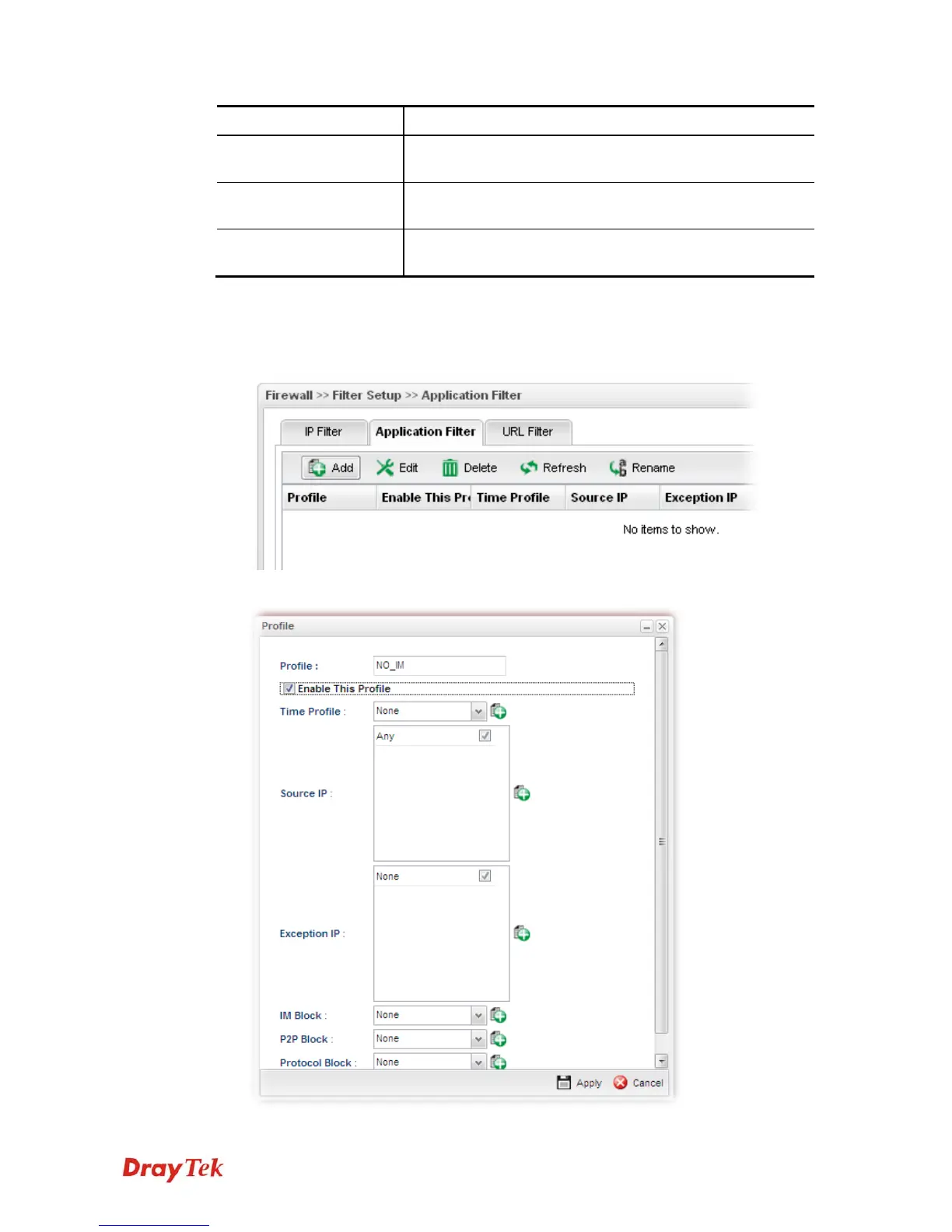
1. Open Firewall>>Filter Setup and click the Application Filter tab.
2. Simply click the Add button.
3. The following dialog will appear.



 To Next Page