Vigor300B Series User’s Guide
48
4
4
.
.
1
1
.
.
4
4
S
S
w
w
i
i
t
t
c
c
h
h
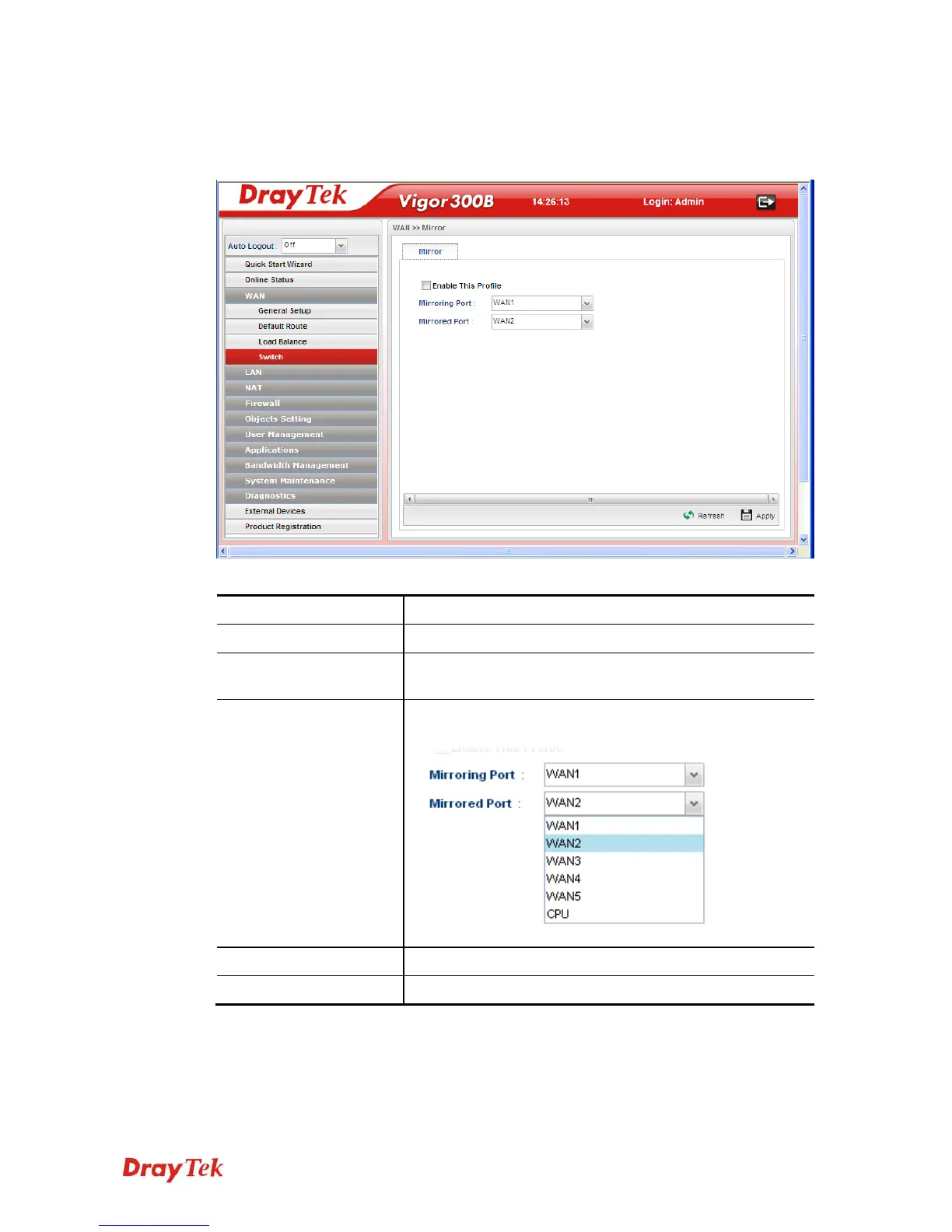
The administrator can monitor all the packets passing through mirrored port. It is useful for
the administrator to analyze the troubles on Network.
Available parameters are listed as follows:
Item Description
Enable This Profile
Check the box to enable the Mirror function for the switch.
Mirroring Port
Select a port for the administrator to use for viewing traffic
sent from mirrored ports.
Mirrored Port
Select a port to make the packets passing through it
monitored by the administrator.
Refresh
Renew current web page.
Apply
Click it to save the configuration.



 To Next Page