Vigor300B Series User’s Guide
137
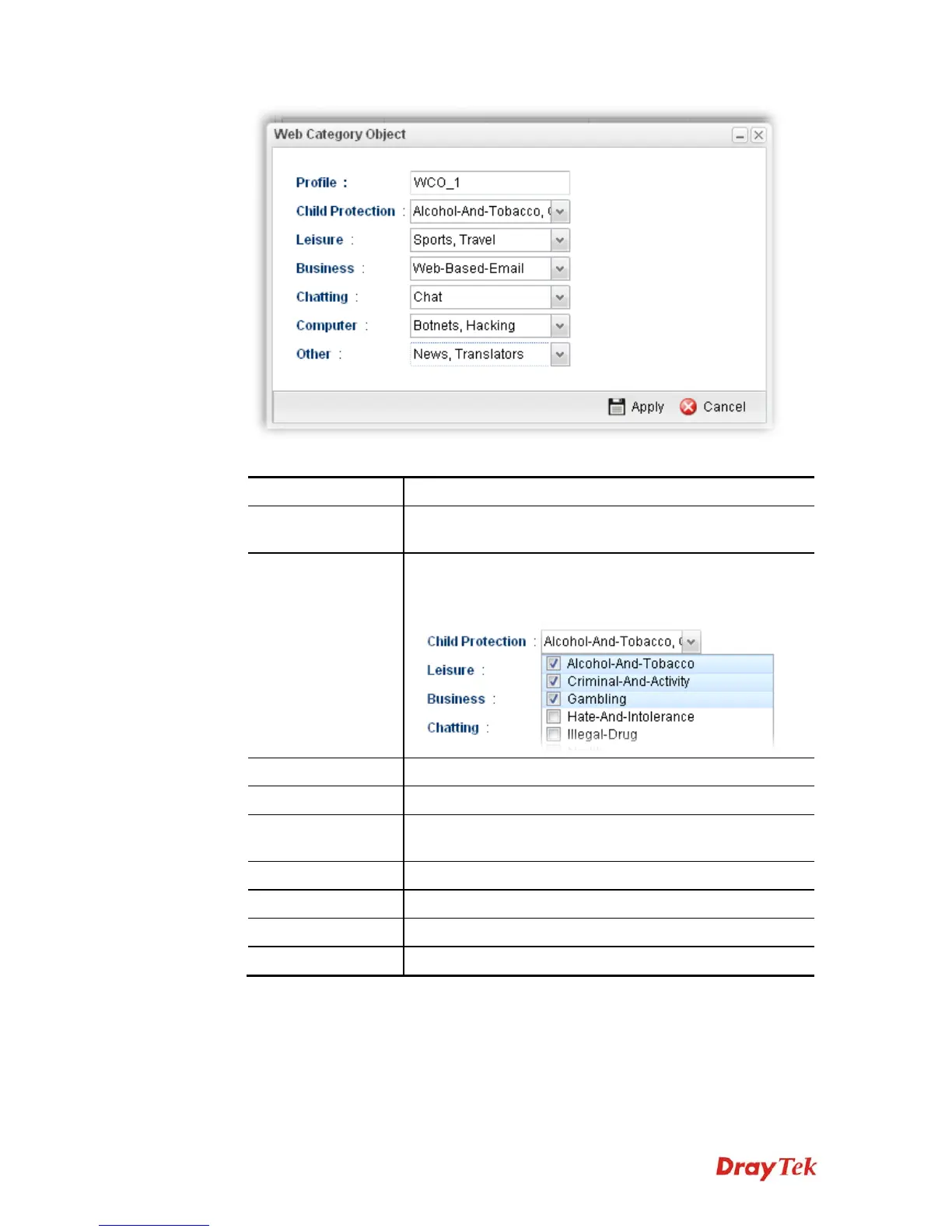
Available parameters are listed as follows:
Item Description
Profile
Type the name of the web category object profile. The
number of the characters allowed to be typed here is 10.
Child Protection
The web pages which are not suitable for children will be
classified into different categories. Simply check the one(s)
that you don’t want the children to visit.
Leisure
Simply check the one(s) that you don’t want the user to visit.
Business
Simply check the one(s) that you don’t want the user to visit.
Chatting
Simply check the one(s) that you don’t want the user to use
for gossip with remote people.
Computer
Simply check the one(s) that you don’t want the user to visit.
Other
Simply check the one(s) that you don’t want the user to visit.
Apply
Click it to save the configuration.
Cancel
Click it to exit the dialog without saving the configuration.
4. Enter all the settings and click Apply.



 To Next Page